

Support me on – https://www.patreon.com/Ashif
Support me on – paypal.me/9953280644
Model – http://www.cadnav.com/3d-models/model-46544.html
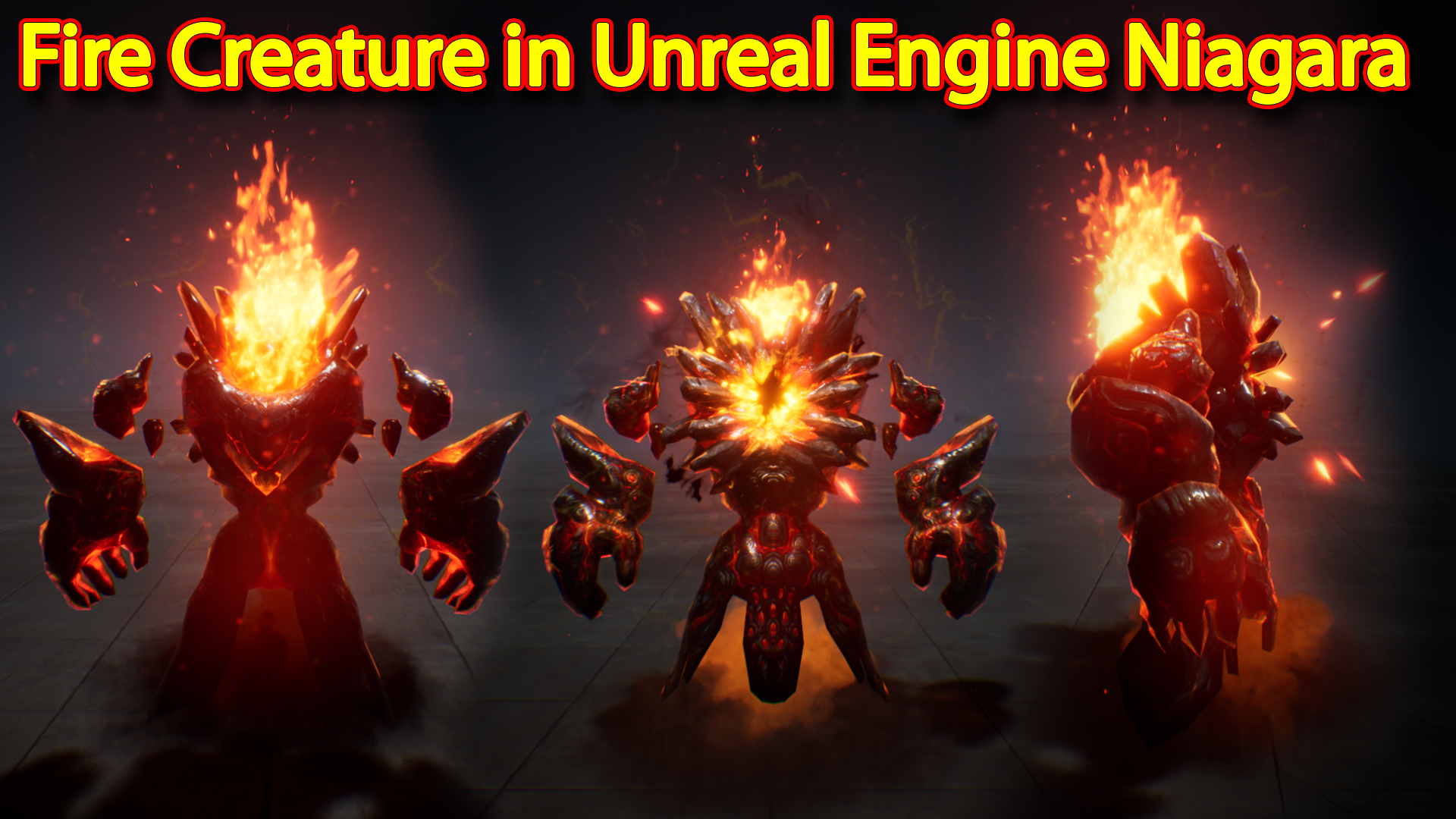
hi guys in this video i have created a fire character in unreal engine niagara.
#cghow #unrealengine #gamevfx #gamefx #ue4vfx #ue4fx #niagara #unrealengineniagara #unrealenginevfxtutorials
●Upload Your Tutorials/Work – https://cghow.com/
…………………………………………………………………………………………………………
Purchase Effect Package From Unreal engine Marketplace –
●Niagara Effects Pack – http://bit.ly/2LWgZTx
●Advanced Magical FX – http://bit.ly/2XQYyXL
……………………………………………………………………………………………………………………………………
●Patreon – https://www.patreon.com/Ashif
……………………………………………………………………………………………………………………………………
●Follow FB Page – https://www.facebook.com/cghow0/
●Join FB Group – https://www.facebook.com/groups/cghow/
……………………………………………………………………………………………………………………………………
●Android App – http://bit.ly/2XUnhoR
……………………………………………………………………………………………………………………………………
Playlists-
●Unreal Engine Niagara Tutorials – http://bit.ly/2SmPEuT
●Unreal engine VFX Tutorials -http://bit.ly/2JNXyJZ
●Unity VFX Tutorials – http://bit.ly/2XNGlKz
……………………………………………………………………………………………………………………………………
●Discussion & Help Forum – http://bit.ly/2Lo0Er7
……………………………………………………………………………………………………………………………………


Video Title: Creating a Fiery Character Effect in Unreal Engine Niagara
Description: In this tutorial, I’ll show you how to create a dynamic fiery character effect in Unreal Engine Niagara. This effect includes flames behind the character, a glowing core, and smoke falling from the bottom, creating a fiery and intense visual that you can apply to any character model.
Key Points:
- Character Setup: The character is downloaded from Gangnam.com. I applied slight movement to the mesh and texture using a custom material with panning noise textures for subtle animation.
- Flame Effect:
- The flames are placed behind the character using a particle system with a texture from the starter content.
- Flame Particles: 20 particles are spawned with velocity on all axes, particularly along the Z-axis to push flames upward. Dynamic parameters are used to add randomization.
- Embers: Spawning 100 particles with random movement and velocity. The flames have a radial ramp and use noise for more natural behavior.
- Core Effect:
- The core has a glowing distortion material, spawning 10 particles. The sprite size increases as the particles scale up.
- Glow: A radial ramp light is applied to give the core a glowing effect, scaling up and fading.
- Plasma: A planar mesh is used with a distortion and erosion parameter, giving the core a dynamic, shifting appearance.
- Ring Effect: A circular texture is used for a glowing ring around the character, with scaling and distortion applied for a dynamic look.
- Spots and Volume:
- Spot effects on the ground are created using light-cone particles, which fall and scale up as they hit the ground.
- The spots have random movement and some gravity to make them behave like falling embers.
- Smoke Effect:
- A simple smoke effect is created with particles from the starter content. The smoke is spawned in a cone shape and gradually scales up as it dissipates, using a color change from orange to dark gray.
- The smoke particles collide with the ground, adding realism.
Trending Tags: #UnrealEngine #NiagaraVFX #FieryEffect #FlameEffect #CharacterEffects #VFXTutorial #UnrealEngineTutorial #GameDevelopment
Additional Notes:
- The effect is ideal for characters involved in intense action scenes, like fire-breathing or magical creatures.
- The materials used in this tutorial (such as the glowing core and smoke) can be reused and modified for other character effects or environmental simulations.
- If you’d like to try the same model and textures, check out Gangnam.com for free resources and starter content to begin experimenting.
Leave a Reply