

Support me on – https://www.patreon.com/Ashif
Support me on – paypal.me/9953280644
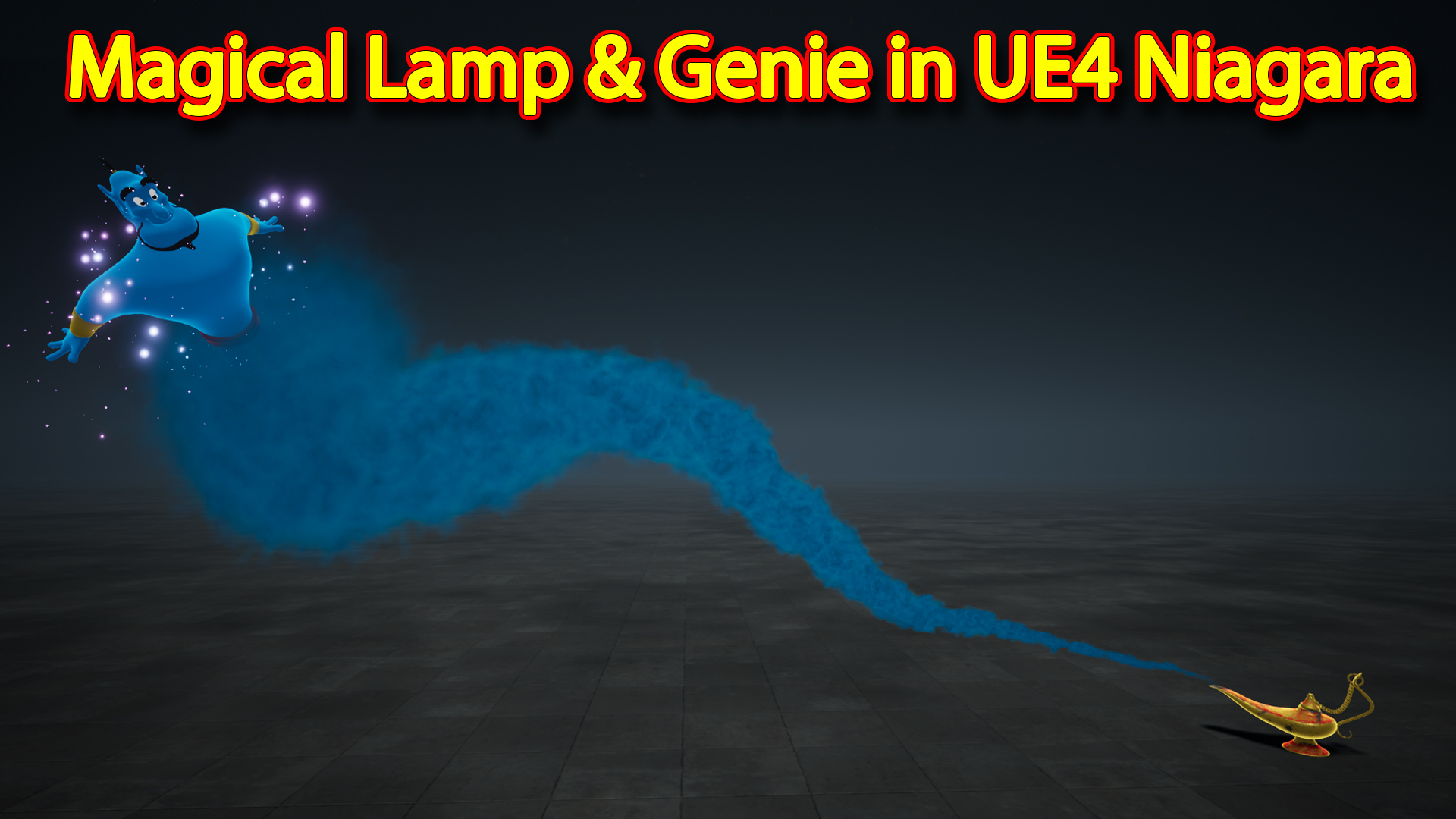
hi guys in this video i have created a magical lamp and genie effect from Alladin and this is very simple effect but looks nice so i thought to make a tutorials on that, the main part of this is smoke which is moving along a spline for that i have created a custom module script for Niagara so that i can choose any spline and smoke will follow that and i can edit spline any time.
#cghow #unrealengine #UE4Niagara #gamefx #ue4vfx #ue4fx #niagara #unrealengineniagara #unrealenginevfxtutorials
●Upload Your Tutorials/Work – https://cghow.com/
…………………………………………………………………………………………………………
Purchase Effect Package From Unreal engine Marketplace –
●Niagara Effects Pack – http://bit.ly/2LWgZTx
●Advanced Magical FX – http://bit.ly/2XQYyXL
……………………………………………………………………………………………………………………………………
●Patreon – https://www.patreon.com/Ashif
……………………………………………………………………………………………………………………………………
●Follow FB Page – https://www.facebook.com/cghow0/
●Join FB Group – https://www.facebook.com/groups/cghow/
……………………………………………………………………………………………………………………………………
●Android App – http://bit.ly/2XUnhoR
……………………………………………………………………………………………………………………………………
Playlists-
●Unreal Engine Niagara Tutorials – http://bit.ly/2SmPEuT
●Unreal engine VFX Tutorials -http://bit.ly/2JNXyJZ
●Unity VFX Tutorials – http://bit.ly/2XNGlKz
……………………………………………………………………………………………………………………………………
●Discussion & Help Forum – http://bit.ly/2Lo0Er7
……………………………………………………………………………………………………………………………………


Video Title: How to Create a Magical Lamp and Genie Effect in Unreal Engine
Introduction: In this tutorial, Asif Ali demonstrates how to create a magical lamp and genie effect from Aladdin in Unreal Engine. This is a simple yet charming effect that features smoke emerging from the lamp and particles twinkling and swirling around, making it an exciting and engaging effect for your game or animation projects.
Key Points Covered:
- Overview of the Effect:
- The effect involves smoke coming out of the lamp, twinkling particles, and particles emitted from the genie character.
- The smoke follows a spline, which is the key feature of this effect. You can place the smoke anywhere, and it will follow the path accordingly.
- Creating the Spline and Smoke:
- The Blueprint (BP) is set up with a spline component to control the path of the smoke.
- Smoke particles are created using the default smoke particle system from Unreal’s starter content. The smoke has a blue color, random size, drag, and some curl noise to add randomness to the movement.
- Custom Script for Spline Effects: A custom module is used to make particles follow the spline with varying speeds and some random offsets to give a more natural movement. This module also adjusts the particle’s position based on the spline’s curve.
- The smoke is set to follow the spline path initially, and as the particles reach the end of the curve, they get some random “relief,” causing them to drift and disperse naturally due to curl noise.
- Twinkling Particles:
- A simple radial ramp is used to create twinkling particles. Random size, location, color change (from cyan to purple), and scaling effects are applied.
- Sine wave animation is used to make the particles scale up and down, creating a twinkling or sparkling effect.
- Genie Particle Emission:
- Particles are spawned from the genie model using the static mesh location sampling technique. These particles are gently animated to swirl and float around the character.
- Minimal velocity and slight curl noise are applied to ensure the particles float randomly. They scale up and down to enhance the magical, floating effect.
- Interactivity:
- The smoke is animated to follow a path defined by the spline, allowing the effect to be placed dynamically in any scene.
- The particles can be adjusted and customized by modifying the spline’s vertex positions and other properties, offering flexibility to the user.
Trendy Tags:
- #UnrealEngine
- #NiagaraVFX
- #MagicalLamp
- #GenieEffect
- #VFXTutorial
- #GameEffects
- #SmokeEffect
- #AladdinVFX
- #Particles
- #Niagara
Additional Notes for Video Tutorial Description:
- This tutorial is beginner-friendly and great for anyone looking to add a magical touch to their Unreal Engine projects.
- Don’t forget to download the assets provided in the video description to try out the effect yourself!
- For more advanced VFX tips and tricks, stay tuned to the channel, and don’t forget to subscribe.
Leave a Reply