

Support me on – https://www.patreon.com/Ashif
Support me on – paypal.me/9953280644
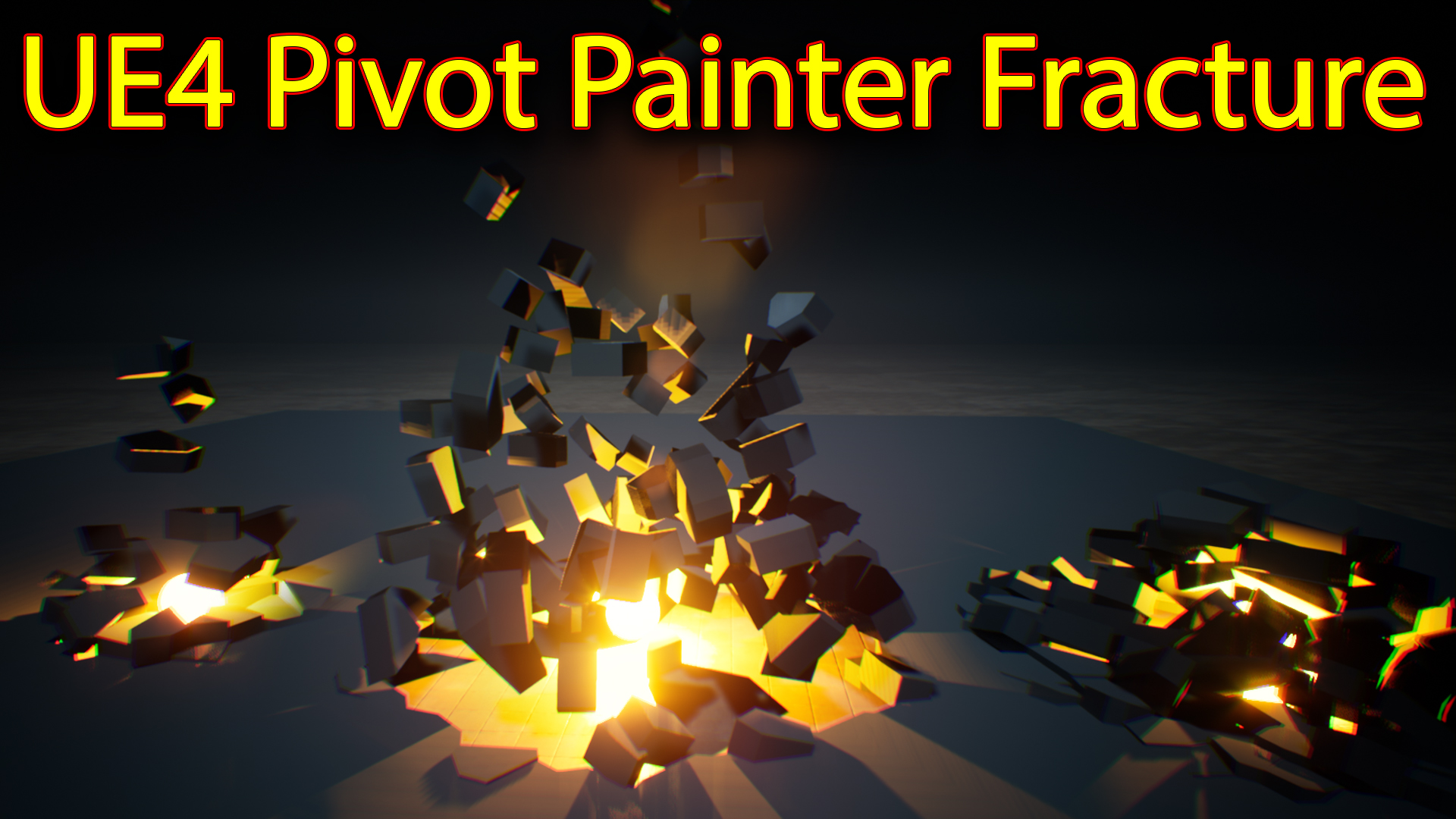
Hi guys today I have create this interactive fracture effect using unreal engine material and fractured mesh exported with pivot points from Houdini using Houdini game tool set.
#cghow #RealtimeVFX #UE4Niagara #gamefx #ue4vfx #ue4fx #niagara #unrealengineniagara #unrealenginevfxtutorials
●Upload Your Tutorials/Work – https://cghow.com/
Purchase Effect Package From Unreal engine Marketplace –
●Niagara Effects Pack – http://bit.ly/2LWgZTx
●Advanced Magical FX – http://bit.ly/2XQYyXL
●Patreon – https://www.patreon.com/Ashif
●Follow FB Page – https://www.facebook.com/cghow0/
●Join FB Group – https://www.facebook.com/groups/cghow/
●Android App – http://bit.ly/2XUnhoR
Playlists-
●Unreal Engine Niagara Tutorials – http://bit.ly/2SmPEuT
●Unreal engine VFX Tutorials -http://bit.ly/2JNXyJZ
●Unity VFX Tutorials – http://bit.ly/2XNGlKz
●Discussion & Help Forum – http://bit.ly/2Lo0Er7


Video Title: Creating a Pivot Point Material in Unreal Engine Niagara
Description:
In this video, Asif Ali from CGHOW walks you through the process of creating a pivot point material in Unreal Engine, integrated with Niagara to achieve a dynamic shattering effect. Learn how a burning sphere can interact with a fractured mesh, causing chunks to shatter and move. Asif explains the setup in both the material and the mesh, as well as how to create a mesh with pivot points in Houdini for Unreal Engine. The video covers mesh setup, material properties, and how to implement the dynamic interaction within Niagara using blueprint and particle effects.
Key Points:
- Pivot Point Material Setup:
- Introduction to a mesh-based material system that uses pivot points for dynamic interaction.
- How the burning sphere interacts with a fractured mesh and causes it to shatter and move.
- Mesh Creation in Houdini:
- How to create a fractured mesh in Houdini with pivot points for use in Unreal Engine.
- Step-by-step guide on generating points, fracturing the mesh, and exporting it to FBX for Unreal.
- Explanation of how to use Houdini’s Game Development Tools (GDT) to create meshes with pivot points.
- Material Parameters and Controls:
- Breakdown of material parameters such as sphere radius, breaking scale, distance, and hardness.
- How these parameters are controlled dynamically within the Unreal Engine material editor.
- Adjusting material properties like metallic, roughness, specular, and color to control the appearance of the fractured mesh.
- Niagara Integration:
- How to link the material with a Niagara particle system to achieve the shattering effect.
- Using blueprint to reference the sphere position and dynamically update the material’s location parameter.
- Real-time shattering effect when the sphere is moved.
- Code and Material Comparison:
- Explanation of different material setups in Unreal, showing how per-element scaling, rotation, and randomness can be applied to fractured meshes.
- Practical examples of scaling and rotating individual chunks of the mesh with pivot points.
- Downloadable Files:
- Access to the Houdini fracture file, Unreal Engine project, and materials through Patreon.
- Tips on experimenting with and tweaking these files for your own projects.
Additional Notes:
- Pivot Points Concept:
- Emphasis on the importance of mesh pivot points for realistic shattering and interaction effects in Unreal Engine.
- Introduction to the concept of per-element scaling, rotation, and randomness in materials for more dynamic effects.
- Useful Resources:
- Instructions on how to use the Epic Games Content Example for pivot point examples.
- Direct link to Houdini’s Game Development Tool installation guide for mesh creation and exporting.
Tags:
#UnrealEngine #NiagaraVFX #PivotPoints #MaterialEditor #GameDevelopment #Houdini #FracturedMesh #VFXTutorial #CGHOW #NiagaraParticles #ShatteringEffect #EpicGames #FractureTools
Call to Action:
If you found this video helpful, don’t forget to like, comment, and subscribe to CGHOW for more Unreal Engine tutorials. Support me on Patreon to access downloadable project files and follow along with your own experiments. Let me know if you have any questions in the comments below. Keep learning and stay creative!
Leave a Reply