

Download – https://cghow.gumroad.com/l/uTKnx
Download – https://www.artstation.com/a/8507733
👉👉 If you Liked it – http://bit.ly/2UZmiZ4
Channel Ashif – http://bit.ly/3aYaniw
Support me on – https://www.patreon.com/Ashif
Support me on – paypal.me/9953280644
Unreal Engine 4.27 Niagara Tutorial | Dark Energy Burst FX | Download Files
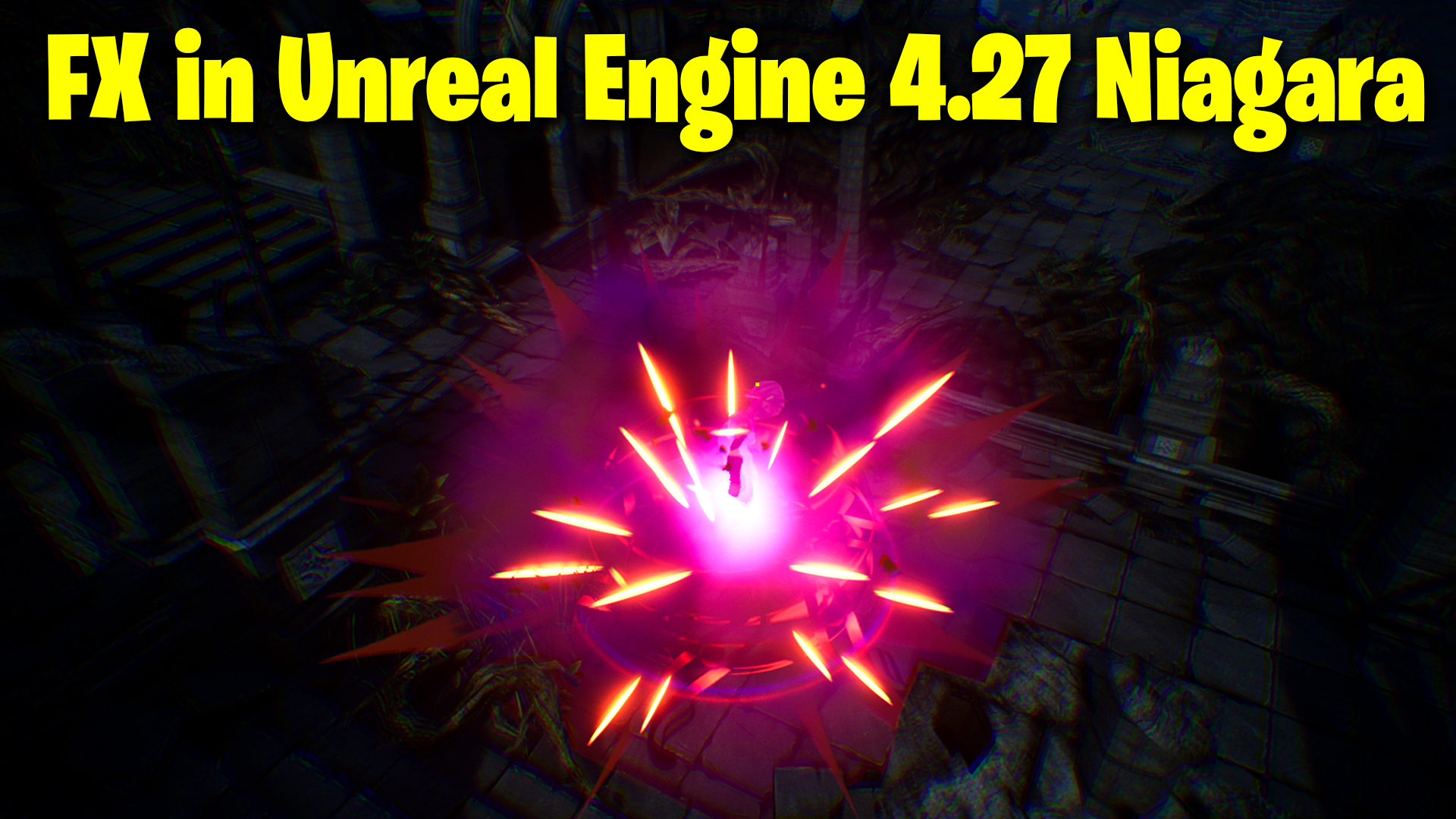
hi guys today I have created this dark energy burst fx in ue4.27 Niagara. it has lots of emitters like glow, smoke, streaks, sparks, shape, sphere, rings, and distortions. I will show you each and every setting of Niagara emitters modules and materials and texture , meshes used in this effect. you can also download this fx from the above given link.
#cghow #UE5 #UE4Niagara #gamefx #ue5niagara #ue4vfx #niagara #unrealengineniagara #realtimevfx
●Upload Your Tutorials/Work – https://cghow.com/
Purchase Effect Package From Unreal engine Marketplace –
Unreal Engine Niagara Effects in Marketplace – https://youtu.be/DF4Lb_btEus
Niagara Effects Pack in Marketplace – https://youtu.be/g6_k8T7FqHA
Unreal Engine Advanced Magical Effects in Marketplace – https://youtu.be/0Dn3GLIzhMo
Smoke in UE4 Niagara Pack01 in Unreal Engine Marketplace – https://youtu.be/38BPA_9yqJ8
UE4 Niagara Fire Pack 01 in Marketplace – https://youtu.be/PW5FL-zZoP4
UE4 Niagara Fire Pack 02 in Marketplace – https://youtu.be/fdLXPlUEzxM
UE4 Niagara Explosions Pack 02 in Marketplace – https://youtu.be/dj-XX9he4aE
Unreal Engine Niagara Effects Pack 03 in Marketplace – https://youtu.be/0kKon43I-Og
Slow Motion Explosion in UE4 Niagara Pack 04 in Marketplace – https://youtu.be/lUK1eW5zRP0
Unreal Engine Niagara Effects pack 04 in Marketplace – https://youtu.be/MihWYB31Gi4
Slow Motion Explosion in UE4 Niagara Pack 04 in Marketplace – https://youtu.be/lUK1eW5zRP0
UE4.25 Niagara Effects Pack 05 in Marketplace – https://youtu.be/sn1HIENVTDI
UE4.25 Niagara Effects Pack 06 in Marketplace – https://youtu.be/pvH_xGQ5jvs
Explosions Package in Unreal Engine Niagara Particle System – https://youtu.be/1mbqWscjUJ4
●Follow FB Page – https://www.facebook.com/cghow0/
●Join FB Group – https://www.facebook.com/groups/cghow/
●Android App – http://bit.ly/2XUnhoR
Playlists-
●Unreal Engine Niagara Tutorials – http://bit.ly/2SmPEuT
●Unreal engine VFX Tutorials -http://bit.ly/2JNXyJZ
●Unity VFX Tutorials – http://bit.ly/2XNGlKz
Video Title: Dark Energy Burst Effect in Unreal Engine 4.27 | Unreal Engine VFX Tutorial
Introduction: Hi guys, I’m Asif Ali, and you’re watching CGHOW! In today’s video, I’ll walk you through a Dark Energy Burst Effect in Unreal Engine 4.27. Although this is one of my old effects, I’ve upgraded it to the latest Unreal Engine version and will be explaining how you can create this effect as well. Note that this is not a full scratch tutorial, but I’ll try my best to guide you through the process so you can recreate it yourself. Let’s get started!
Subscribe & Bell Notification:
Before we dive in, don’t forget to subscribe to my channel and hit the bell icon so you’ll be notified whenever a new video is posted.
Effect Breakdown:
Here’s a brief overview of the effect we’re creating:
- Glow Effect:
- Material: Radial with custom ground-facing alignment.
- Emission: Low intensity with pink and orange colors fading in and out.
- Particles: 5 particles at 0s and 5 particles at 1s delay.
- Flash Effect:
- Material: Simple texture for a flash, facing the ground.
- Emission: Fast particle scaling, random life, and color.
- Streaks:
- Material: 2×2 texture with sub-UV and random frames.
- Particles: Burst 10 particles with random life and stretch on the Y-axis.
- Sweet Effect:
- Material: Rotating particle on the ground, blending black and orange.
- Emission: Single particle with rotation and fading behavior.
- Swivel Effect (3D):
- Material: Mesh-based material for a cylinder (no caps).
- Emission: Two particles with random rotation, red mesh size, and fade-out.
- Smoke Effects:
- Material: Noise texture with tiling and erosion controls.
- Particles: Spawn 50 particles, with fading in and out.
- Rings:
- Material: Glowing ring created with gradient-powered textures.
- Emission: Random particle burst with scale-up behavior.
- Spikes:
- Material: Simple texture for spikes using velocity alignment.
- Particles: Burst 100 particles with random size and color.
- Additional Effects (Glow, Ring, Sparks, and Distort):
- Glow: Faded radial glow with delayed particles.
- Ring: Another radial ring effect with different material.
- Sparks: Spark particles with random velocity and size.
- Distortion: Distortion effect using a radial clamping material.
Download the Project:
If you’d like to download the effect and explore it further, you can find the link in the description to get the project files (effect only). Note: The level map is not included, only the effect!
Key Takeaways:
- Detailed breakdown of how to create a dark energy burst effect in Unreal Engine 4.27.
- Step-by-step material and emitter setup.
- How to control particle effects, blending, and tiling with dynamic parameters.
Tags:
- Unreal Engine
- VFX Tutorial
- Niagara VFX
- Unreal Engine 4.27
- Particle Effects
- Dark Energy Burst
Additional Notes: If you are still figuring out how to achieve this effect or want to better understand sprite alignment, be sure to check out my previous tutorial on Sprite Alignment in Niagara. This will help clear any confusion regarding alignment and particle distribution.
Leave a Reply