

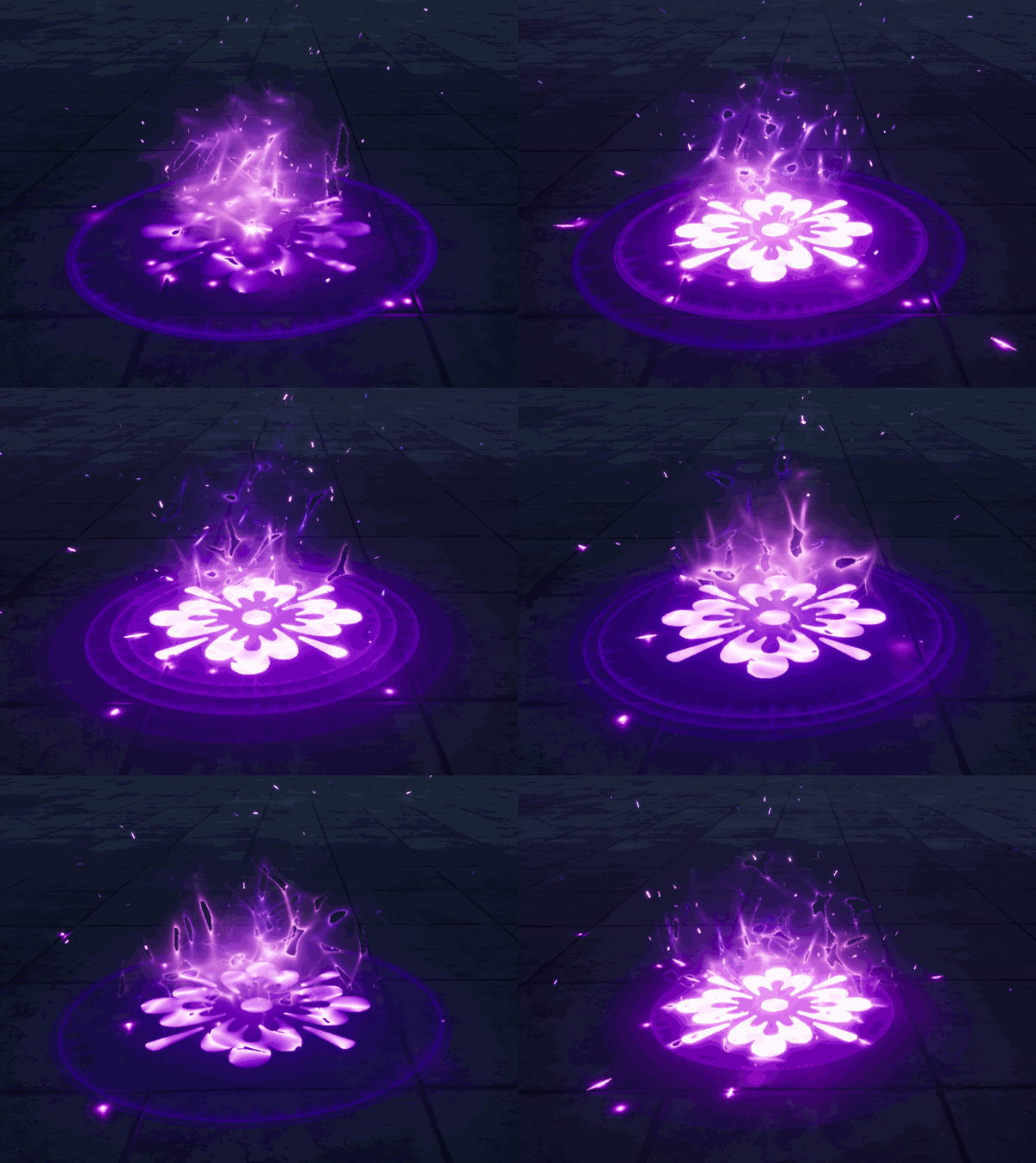
Visit: https://cghow.com/ for more tutorials. submit your tutorial/Artwork.
In this tutorial you will learn how to create Aura Effect in Niagara in unreal engine. you will learn every step for this effect texture, materials, mesh and emitters.
#unrealenginevfxtutorials #cghow #unrealengine #gamevfx #gamefx #ue4vfx #ue4fx #niagara #unrealengineniagara
In this tutorial, we’ll dive into the world of Unreal Engine’s Niagara system to create a stunning aura effect. We’ll break down the process step-by-step, from creating the base material to setting up the particle system.
Key Points:
- Material Creation:
- Create a gradient texture to control the aura’s appearance.
- Use a noise texture to add randomness and variation.
- Implement a glow effect for the edges of the aura.
- Particle System Setup:
- Create a particle system with a sphere emitter.
- Set up particle spawn rate, lifetime, and size.
- Add velocity and acceleration to the particles.
- Control particle color and opacity over time.
- Animating the Aura:
- Use curves to control particle properties over time.
- Add collision events to trigger additional effects, like sparks and debris.
- Optimizing Performance:
- Use level of detail (LOD) techniques to reduce particle count.
- Optimize material and particle system settings.
- Leveraging virtual texture technology for large-scale effects.
Trending Tags: #UnrealEngine #Niagara #VFX #Tutorial #GameDev #GameArt #VFXArtist #ParticleEffects #UnrealEngine5 #UE5 #VisualEffects #3DArt #GameDevelopment #AuraEffect #SpecialEffects
Additional Notes:
- Experiment with different particle systems and materials to achieve various aura effects.
- Consider using Blueprints to control the aura’s behavior dynamically.
- Optimize your particle system for performance, especially for large-scale effects.
- You can use this technique for a variety of effects, such as energy fields, force fields, and magical effects.
Leave a Reply