

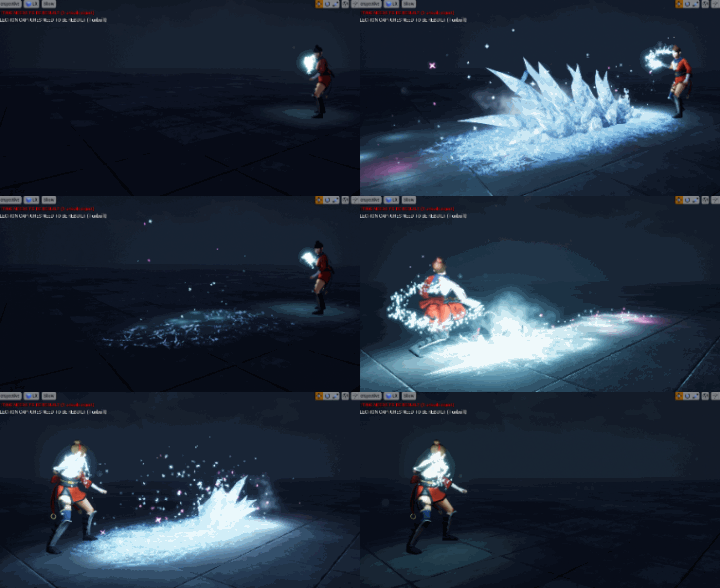
Unreal Engine Ice Attack Effect Tutorial
Visit: https://cghow.com/ for more tutorials. submit your tutorial/Artwork. In this tutorial you will learn how to create Ice Attack Effect in unreal engine. you will learn every step for this effect texture, materials, mesh and emitters.
Video Description: In this tutorial, we dive into the creation of an ice attack effect, focusing on the detailed process behind each element like animated icicles, lighting, frost, mist, and shooting particles. You will learn how to bring these elements together in Unreal Engine to create a powerful and visually appealing effect.
Key Points:
- Icicles: Modeled in Maya and imported to Unreal Engine, animated to appear one by one.
- Erosion: Dynamic parameters control the erosion effect of the icicles.
- Lighting: Glow effect on icicles and particles to add realism.
- Debris & Mist: Added for a more natural look with randomized movements.
- Frost & Particles: Effects like frost on the ground and shooting particles enhance the overall impact.
- Sparkles & Distortion: Extra touches for visual excitement and detail.
Tips:
- Use dynamic parameters to control erosion and light intensity.
- Animate delays for sequential icicle appearance.
- Consider using GPU particles for effects that require light emission.
- Customize the material texture to fit the theme and style of your scene.
- For more control, animate particle size and velocity in the material editor.
Tags: #UnrealEngine #VFX #IceEffect #NiagaraVFX #ParticleEffects #GameDevelopment #3DModeling #LightingEffects #FrostEffect #Maya #Tutorial #VisualEffects

Leave a Reply