

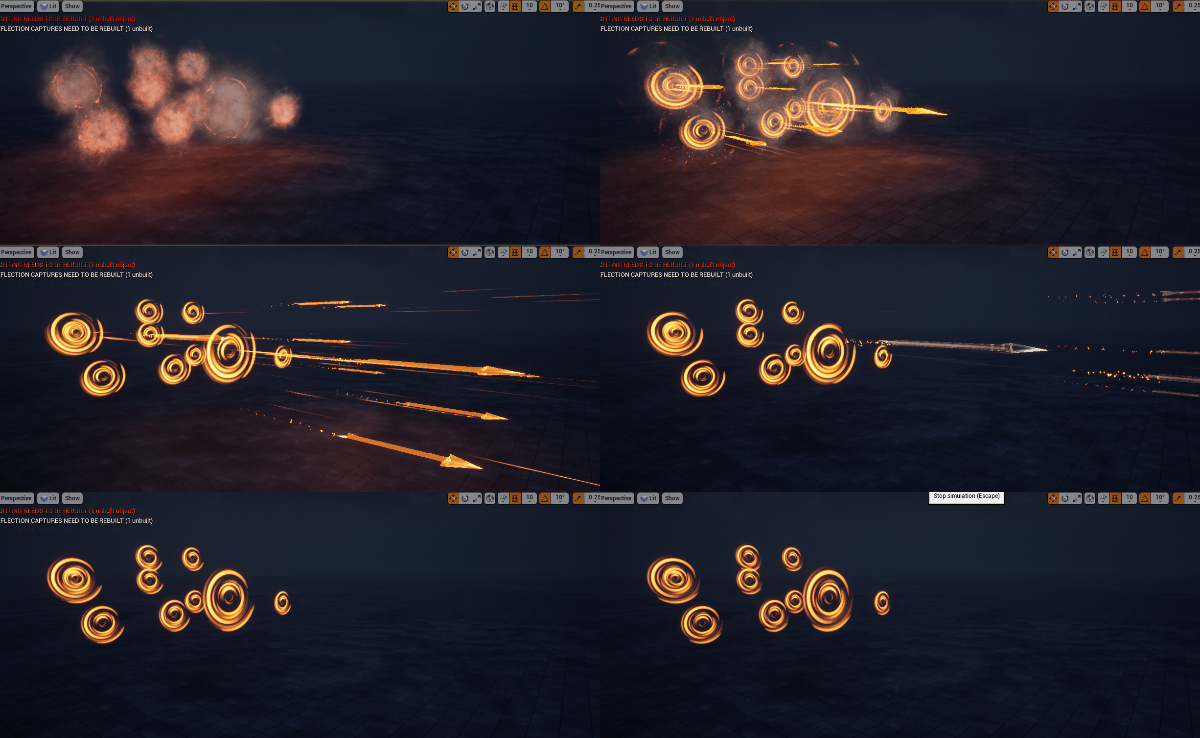
In this video you will. Learm how to. Make magical shooting arrows in unreal engine. I will ahow you every step hoe to make textures, Materials and meshes for this effect.
Magical Arrows Effect in Unreal Engine 4
This tutorial shows how to create magical shooting arrows in Unreal Engine 4, with spinning patterns, color shifts and a glowing trail built from custom textures and meshes.
Use it for archer skills, spell projectiles and fantasy weapons, and see the related posts below for more projectile effects.
More projectile effects: Shooting Trails · AnimTrail Tutorial · Magical Effect
Description: This tutorial shows how to build a mystical arrow effect in Unreal Engine using Niagara, complete with spinning patterns, color shifts, and a glowing trail. Follow along as we craft custom textures in Photoshop, set up materials, and add dynamic particle features. With layers like shockwaves, spark trails, and particle distortion, this effect is highly customizable and perfect for any fantasy project.
Content Breakdown:
- Custom Texture Creation: Create a layered texture with various radial patterns and blur effects for mystical visuals.
- Material and Particle System Setup: Design an emissive, translucent material and customize particle size, rotation, and spawning behaviors.
- Animating Effects: Add movement with rotation, scale over life, and velocity to make the arrow more dynamic.
- Trail and Lighting: Attach a glowing trail and lights to enhance the magic effect as the arrow travels.
- Additional Visuals: Include smoke, sparks, and distortion effects to bring out intricate details.
Tags: #UnrealEngine, #NiagaraVFX, #MagicalArrows, #VFXTutorial, #FantasyEffects
Leave a Reply