

Visit: https://cghow.com/ for more tutorials. submit your tutorial/Artwork.
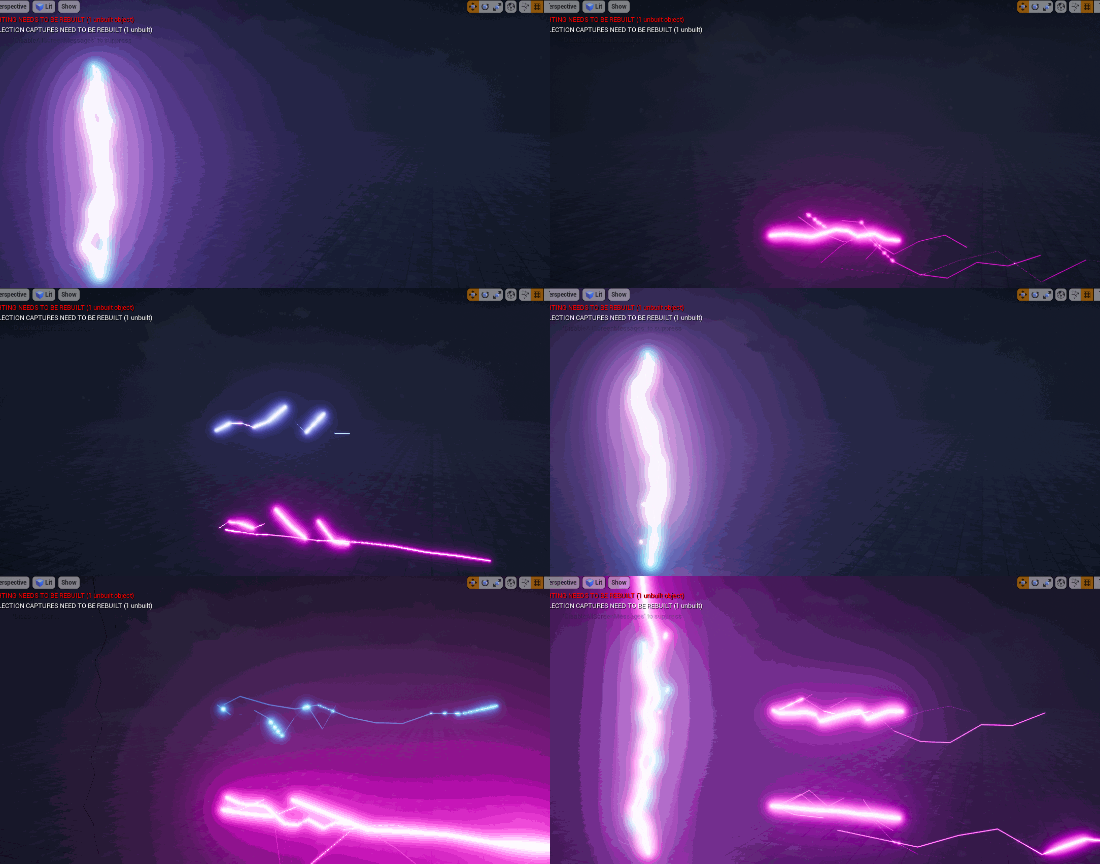
In this tutorial you will learn how to create Mesh Flipbook lightning Material and Particle in unreal engine. you will learn every step for this effect texture, materials, mesh and emitters.
#unrealenginevfxtutorials #cghow #unrealengine #gamevfx #gamefx #ue4vfx #ue4fx #niagara #unrealengineniagara
Description
In this tutorial, you’ll learn how to create a lightning effect using a mesh flipbook in Unreal Engine’s Niagara system. You’ll start by creating multiple mesh assets with varying shapes and UV layouts. These meshes will serve as frames for your lightning animation. You’ll then create a material that utilizes a gradient texture to transition between different mesh frames, creating a dynamic and realistic lightning effect. Finally, you’ll integrate this material into a Niagara particle system to emit lightning bolts with random shapes and movements.
Key Points:
- Mesh Flipbook Creation: Creating multiple mesh assets with varying shapes and UV layouts.
- Material Setup: Using a gradient texture to transition between mesh frames.
- Niagara Particle System: Integrating the mesh flipbook material into a particle system.
- Particle Emission and Animation: Controlling particle emission rate, lifetime, and movement.
- Customization: Adjusting particle properties like color, size, and rotation.
Trending Tags:
#UnrealEngine #Niagara #VFX #Tutorial #GameDev #GameArt #VFXArtist #ParticleEffects #UnrealEngine5 #UE5 #VisualEffects #3DArt #GameDevelopment #LightningEffect #MeshFlipbook
Additional Notes:
- This tutorial is ideal for intermediate-level Unreal Engine users who have a basic understanding of particle systems and materials.
- The techniques demonstrated in this tutorial can be applied to create a variety of effects, such as fire, smoke, and explosions.
- Experiment with different mesh shapes, UV layouts, and material parameters to achieve unique and visually appealing effects.
- Consider optimizing your particle system for performance by adjusting particle counts, simulation rates, and rendering settings.
Leave a Reply