


Download – https://cghow.gumroad.com/l/wYthnP
Download – https://www.artstation.com/a/9958752
👉👉 If you Liked it – http://bit.ly/2UZmiZ4
Channel Ashif – http://bit.ly/3aYaniw
Support me on – https://www.patreon.com/Ashif
Support me on – paypal.me/9953280644
Unreal Engine Niagara Tutorial | Download Files
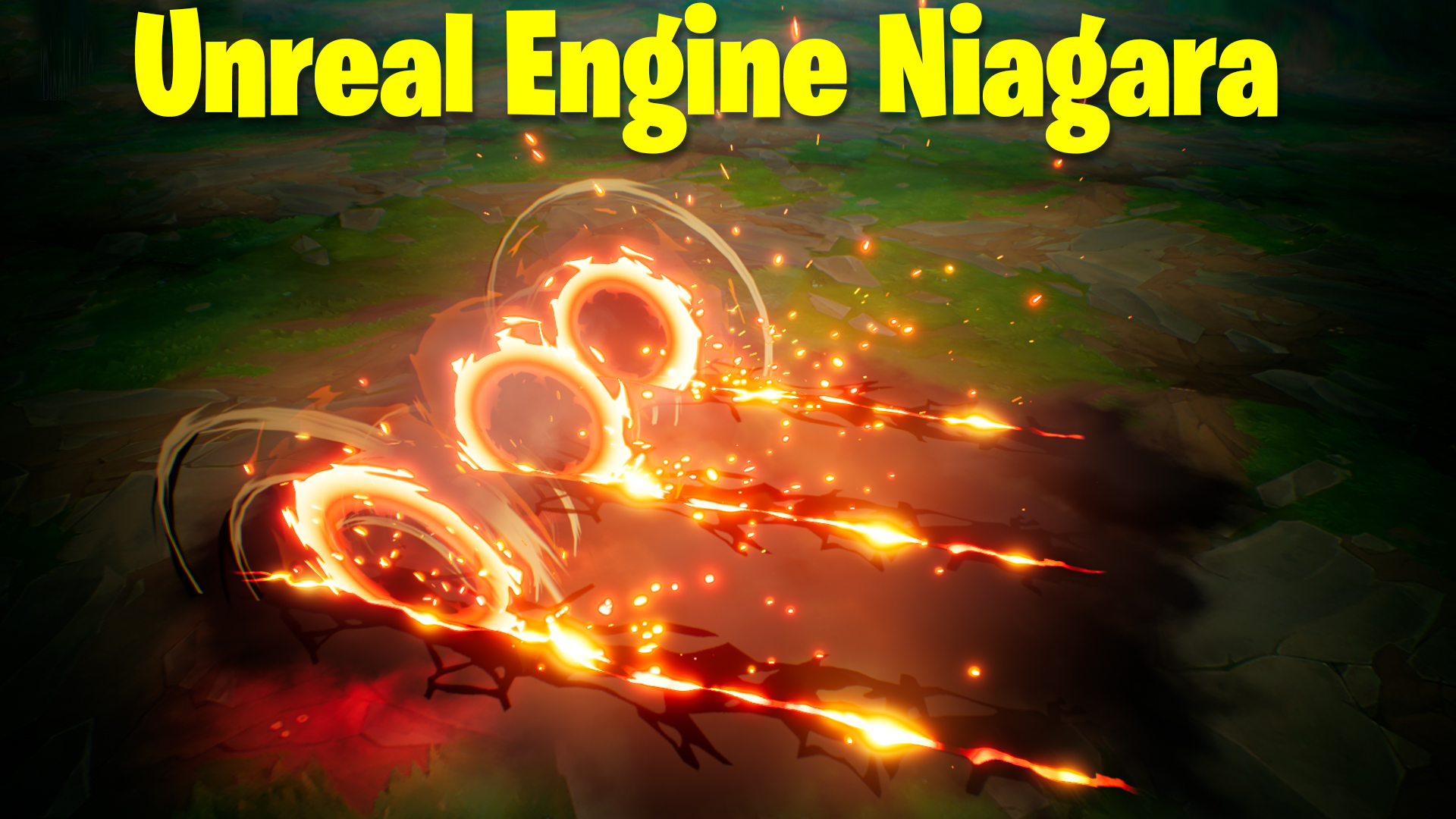
hi, guys today I have created this fire disk effect in unreal engine Niagara. in this effect I will show you I I manage to place 3 disks with the same distance and spawned other elements from in. also check my post-process effect settings to make this even good looking effect.
#cghow #UE5 #UE4Niagara #gamefx #ue5niagara #ue4vfx #niagara #unrealengineniagara #realtimevfx
●Upload Your Tutorials/Work – https://cghow.com/
Purchase Effect Package From Unreal engine Marketplace –
Unreal Engine Niagara Effects in Marketplace – https://youtu.be/DF4Lb_btEus
Niagara Effects Pack in Marketplace – https://youtu.be/g6_k8T7FqHA
Unreal Engine Advanced Magical Effects in Marketplace – https://youtu.be/0Dn3GLIzhMo
Smoke in UE4 Niagara Pack01 in Unreal Engine Marketplace – https://youtu.be/38BPA_9yqJ8
UE4 Niagara Fire Pack 01 in Marketplace – https://youtu.be/PW5FL-zZoP4
UE4 Niagara Fire Pack 02 in Marketplace – https://youtu.be/fdLXPlUEzxM
UE4 Niagara Explosions Pack 02 in Marketplace – https://youtu.be/dj-XX9he4aE
Unreal Engine Niagara Effects Pack 03 in Marketplace – https://youtu.be/0kKon43I-Og
Slow Motion Explosion in UE4 Niagara Pack 04 in Marketplace – https://youtu.be/lUK1eW5zRP0
Unreal Engine Niagara Effects pack 04 in Marketplace – https://youtu.be/MihWYB31Gi4
Slow Motion Explosion in UE4 Niagara Pack 04 in Marketplace – https://youtu.be/lUK1eW5zRP0
UE4.25 Niagara Effects Pack 05 in Marketplace – https://youtu.be/sn1HIENVTDI
UE4.25 Niagara Effects Pack 06 in Marketplace – https://youtu.be/pvH_xGQ5jvs
Explosions Package in Unreal Engine Niagara Particle System – https://youtu.be/1mbqWscjUJ4
●Follow FB Page – https://www.facebook.com/cghow0/
●Join FB Group – https://www.facebook.com/groups/cghow/
●Android App – http://bit.ly/2XUnhoR
Playlists-
●Unreal Engine Niagara Tutorials – http://bit.ly/2SmPEuT
●Unreal engine VFX Tutorials -http://bit.ly/2JNXyJZ
●Unity VFX Tutorials – http://bit.ly/2XNGlKz
Hi guys, I’m Asif Ali, and you’re watching CGHOW! In today’s tutorial, I’ll be showing you how to create a cool Hall effect using Niagara in Unreal Engine 4.27. It looks complex, but it’s actually pretty simple. Let’s dive right into it!
Before we start, don’t forget to subscribe to my channel and click the bell icon so you never miss an update!
Creating the Hall Effect:
So, let’s break it down step-by-step. This effect might seem complicated, but it’s all about simple elements combined together. Here’s what we’ll be making today:
- Crack Material
First, I created a crack texture in Photoshop with random shapes using the Pen Tool. It has two channels: Green and Red.- Red Channel: Multiply this with a hot color like reddish-orange to give the crack its glowing effect.
- Green Channel: Use this for opacity control by connecting it to the opacity mask and setting the material to unlit.
- Fading Effect
To fade the material on both sides, I used the Sine function. This way, we create a smooth fade-out for the crack from both ends.
Creating the Niagara Effect:
Now, let’s create the Niagara effect:
- Particle Settings
For the first emitter, I used a sprite with the crack material. The key settings here are:- Spawn Rate: 3 particles.
- Size: 200 (randomly rotated).
- Lifetime: Infinite.
- Second Emitter (Disk Effect)
The second emitter is a disk shape. I created a new material with a fire texture and used the Red channel for emissive and opacity.To achieve a nice fade effect from the center of the disk, I used a power node and multiply with the texture to control how the opacity fades outward. - Smoke and Sparks
I also added some additional elements like smoke and sparks:- Base smoke material: A simple 4×4 smoke texture with random frames and custom alignment.
- Sparks: Created using a simple spark texture, set to random velocity to simulate sparks flying out.
- Disks and Rotation
The disks in the original effect are slightly wobbly, so I added slight rotation on the X-axis to create that wobbling effect.
Additional Effects:
- Amber and Sparks
I duplicated the base effect and used velocity alignment to make the sparks shoot in random directions. I also adjusted the spawn rate and size to get a consistent, continuous emission of sparks. - Cylinder Smoke
To create a rotating smoke effect, I used a cylinder mesh, adjusting its height and radius, and applied random color variation for a more organic feel.
Final Touches:
Finally, I added some post-processing to enhance the visual appeal:
- Adjusted contrast, gamma, and gain to make the effect pop.
- Chromatic aberration for a more stylized look.
- Tweaked lens flare and shadow settings for extra polish.
Conclusion:
That’s it! You now have a complete breakdown of how I created this cool Hall effect using Niagara in UE4.27. If you want to download the files for this effect, check the link in the description.
Thanks for watching, and don’t forget to keep learning and improving your skills. See you in the next video!
Leave a Reply