
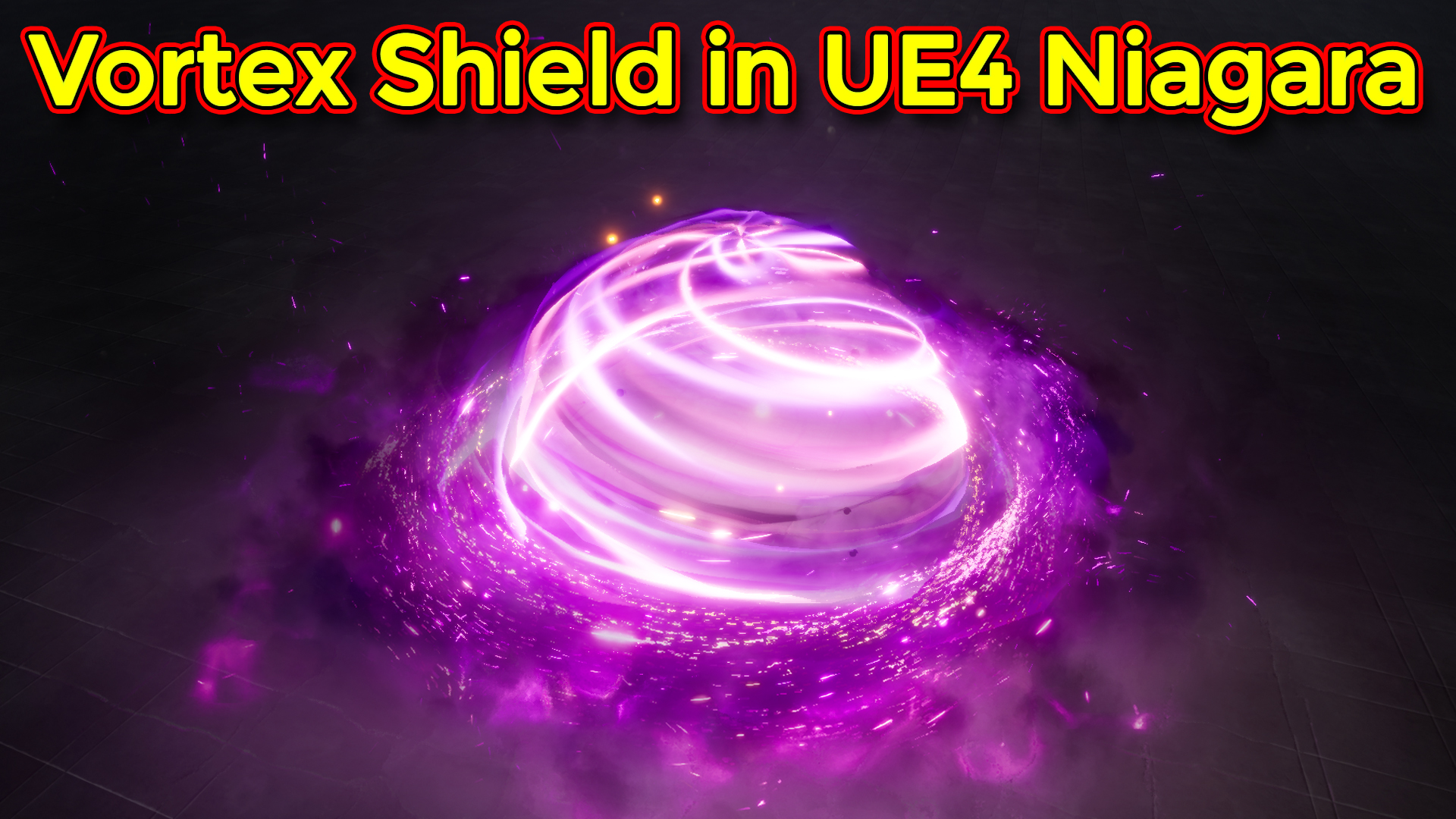

In this tutorial you will learn how to create Vortex Shield Effect in unreal engine niagara. you will learn every step for this effect texture, materials, mesh and emitters. For any concern comment below the video or create help thread in CGHOW form (discussion & help forum link below)
#cghow #unrealengine #gamevfx #gamefx #ue4vfx #ue4fx #niagara #unrealengineniagara #unrealenginevfxtutorials
●Upload Your Tutorials/Work – https://cghow.com/
…………………………………………………………………………………………………………
Purchase Effect Package From Unreal engine Marketplace –
●Niagara Effects Pack – http://bit.ly/2LWgZTx
●Advanced Magical FX – http://bit.ly/2XQYyXL
……………………………………………………………………………………………………………………………………
●Patreon – https://www.patreon.com/Ashif
……………………………………………………………………………………………………………………………………
●Follow FB Page – https://www.facebook.com/cghow0/
●Join FB Group – https://www.facebook.com/groups/cghow/
……………………………………………………………………………………………………………………………………
●Android App – http://bit.ly/2XUnhoR
……………………………………………………………………………………………………………………………………
Playlists-
●Unreal Engine Niagara Tutorials – http://bit.ly/2SmPEuT
●Unreal engine VFX Tutorials -http://bit.ly/2JNXyJZ
●Unity VFX Tutorials – http://bit.ly/2XNGlKz
……………………………………………………………………………………………………………………………………
●Discussion & Help Forum – http://bit.ly/2Lo0Er7
……………………………………………………………………………………………………………………………………


Title: Vortex Effect in Unreal Engine Niagara
Description: In this video, Ashif Ali demonstrates how to create a captivating vortex effect in Unreal Engine’s Niagara VFX system. This effect showcases various emitters layered together to form a swirling, colorful vortex shield that could enhance any Unreal Engine project. Watch as Ashif walks through each emitter and their settings, providing a comprehensive guide for replicating this effect.
Key Points:
- Effect Overview: Breakdown of all emitters used to create the rotating vortex shield effect.
- First Emitter – Dark Layer: Hemisphere mesh with a rotating black texture created in Maya. A simple material with panning aura texture is applied.
- Foreground Layer: Duplicate of the dark layer with color adjustments to add depth and variety.
- Distortion Layer: Uses sprite renderer and a panning distortion material to add visual complexity. Configured to rotate around a cylindrical axis.
- Glow Effect: Ground glow using planar mesh and a radial ramp material to mimic a light effect without using an actual light source.
- Colored Layer: Similar to the dark layer but with varied colors, adding a dynamic feel to the vortex.
- Smoke Ring: Particle system with cylindrical spawn location and point attraction to create a smoky, outward spread. Adjusted for purple-to-black gradient coloring.
- Spark Emitters: Series of sparks with varied settings including light emission, random color, and velocity alignment to create streaking motion.
- Final Composition: All emitters are combined to create the full vortex effect, with settings fine-tuned for size, spawn rate, and rotation.
Tags: Unreal Engine, Niagara VFX, Vortex Effect, Game VFX, Real-time VFX, VFX Tutorial, UE4, UE5
Leave a Reply