
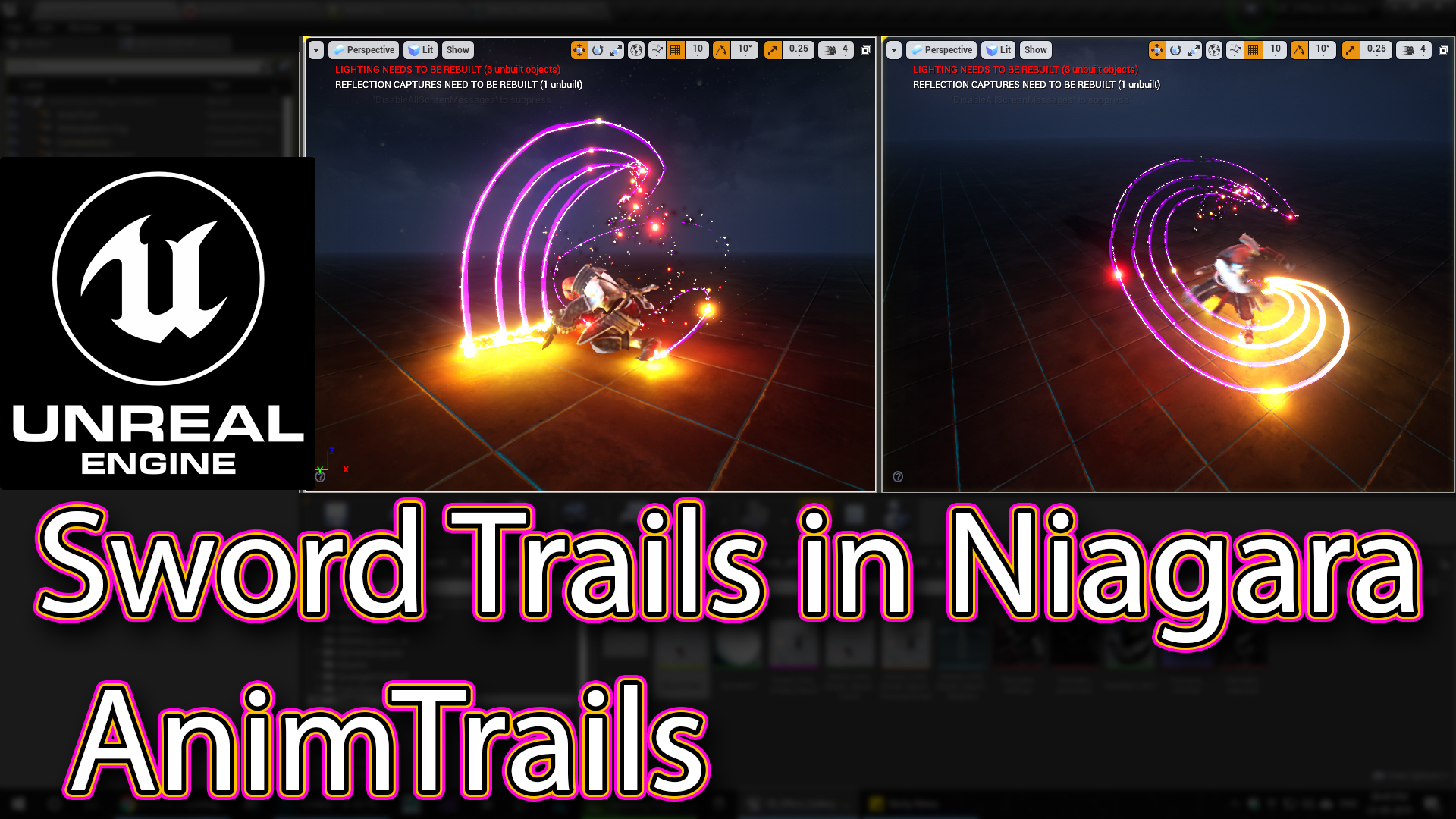

In this tutorial you will learn how to create Sword Trails | AnimTrails in unreal engine Niagara. you will learn every step for this effect texture, materials, mesh and emitters. For any concern comment below the video or create help thread in CGHOW form (discussion & help forum link below)
#cghow #unrealengine #gamevfx #gamefx #ue4vfx #ue4fx #niagara #unrealengineniagara #unrealenginevfxtutorials
●Upload Your Tutorials/Work – https://cghow.com/
…………………………………………………………………………………………………………
Purchase Effect Package From Unreal engine Marketplace –
●Niagara Effects Pack – http://bit.ly/2LWgZTx
●Advanced Magical FX – http://bit.ly/2XQYyXL
……………………………………………………………………………………………………………………………………
●Patreon – https://www.patreon.com/Ashif
……………………………………………………………………………………………………………………………………
●Follow FB Page – https://www.facebook.com/cghow0/
●Join FB Group – https://www.facebook.com/groups/cghow/
……………………………………………………………………………………………………………………………………
●Android App – http://bit.ly/2XUnhoR
……………………………………………………………………………………………………………………………………
Playlists-
●Unreal Engine Niagara Tutorials – http://bit.ly/2SmPEuT
●Unreal engine VFX Tutorials -http://bit.ly/2JNXyJZ
●Unity VFX Tutorials – http://bit.ly/2XNGlKz
……………………………………………………………………………………………………………………………………
●Discussion & Help Forum – http://bit.ly/2Lo0Er7
……………………………………………………………………………………………………………………………………


Creating Weapon Trails in Unreal Engine Niagara VFX
In this tutorial, Ashif Ali from CGHOW demonstrates how to create smooth and dynamic weapon trails using Unreal Engine’s Niagara particle system. This effect was requested by a subscriber who wanted a tutorial on weapon trails similar to those seen in Cascade, but with more control and customization options in Niagara. The tutorial covers the entire process of setting up the particle system using ribbons for the trail effect, connecting it to the character’s animation, and adjusting the look and behavior of the trails.
Throughout the video, Ashif explains how to use sockets to attach the trails to the sword and character’s limbs, set up the ribbon emitter for the trail, and enhance the effect with sparks and lights. With clear instructions and examples, this tutorial is perfect for game developers and VFX artists looking to add realistic and customizable weapon trails to their projects.
Key Notes:
- Trail Effect: Uses Niagara’s ribbon emitter, connected to the character’s animation, with multiple sockets attached to the sword and limbs for dynamic trailing.
- Smooth Animation: Spawning 100 particles per frame ensures smooth and continuous trails; the number of particles can be adjusted for more or less smoothness.
- Ribbon Width Control: A curve is used to adjust the ribbon width, making the tail taper for more realistic effects.
- Spark Effects: Sparks are generated with varying life cycles and light intensity, using sine waves for smooth twinkling effects.
- Color Control: The trails and sparks can be customized with different colors (yellow to red for sparks, yellow to purple for trails).
- Scale Adjustment: The character scale is set to 5x for better visibility in the animation, ensuring that the trail is proportionate.
- Socket Placement: Four sockets are used on the character (two on each leg and two on the sword) to control where the trails emit from.
- Material Customization: Different materials (radial ramp, radial black) are applied to the sparks and trails, giving them distinct appearances.
Trading Tags:
- Unreal Engine
- Niagara VFX
- Weapon Trail
- Particle Systems
- Animation Integration
- Sparks Effects
- Ribbon Emitter
- VFX Tutorial
- Game Design
- 3D Animation
Additional Notes:
This tutorial offers a comprehensive guide on creating realistic weapon trails in Unreal Engine using Niagara. The use of ribbons and sockets for attaching the trails to specific parts of the character provides more flexibility compared to older Cascade methods. By adjusting parameters like spawn rate, color, ribbon width, and light intensity, you can create various trail effects suitable for different game genres.
For more detailed tutorials on VFX in Unreal Engine, including advanced topics like custom materials and animation integration, visit the CGHOW YouTube channel. Don’t forget to subscribe and support Ashif on Patreon for access to exclusive content and more tutorials.
This article format provides a detailed breakdown while focusing on the key aspects of the effect you created, with relevant tags and additional resources for further learning.
Leave a Reply