
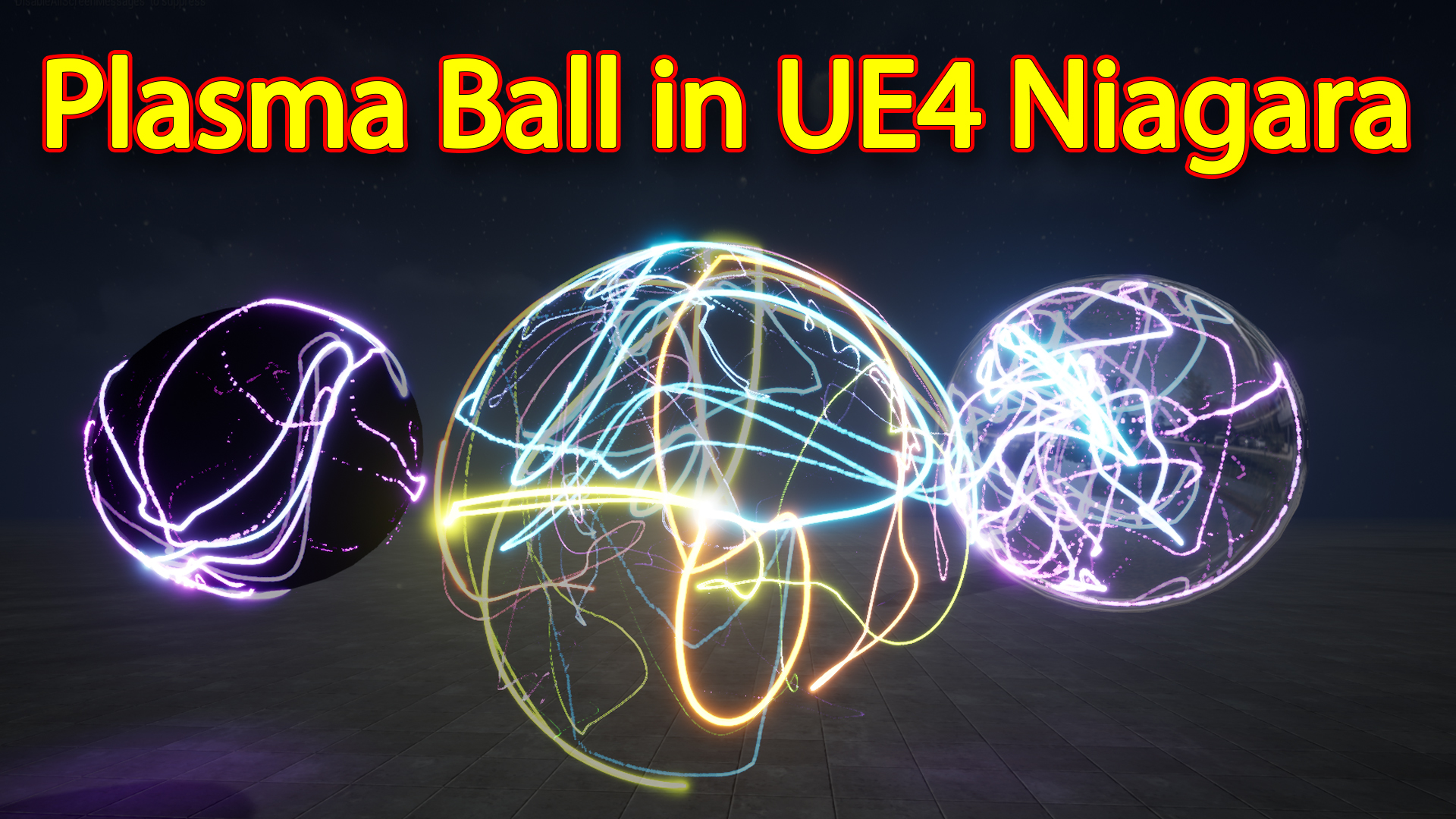

Hi guys in this tutorial you will learn how to make plasma ball effect in unreal engine niagara and you will also learn how to make custom module in niagara.
#cghow #unrealengine #gamevfx #gamefx #ue4vfx #ue4fx #niagara #unrealengineniagara #unrealenginevfxtutorials
●Upload Your Tutorials/Work – https://cghow.com/
…………………………………………………………………………………………………………
Purchase Effect Package From Unreal engine Marketplace –
●Niagara Effects Pack – http://bit.ly/2LWgZTx
●Advanced Magical FX – http://bit.ly/2XQYyXL
……………………………………………………………………………………………………………………………………
●Patreon – https://www.patreon.com/Ashif
……………………………………………………………………………………………………………………………………
●Follow FB Page – https://www.facebook.com/cghow0/
●Join FB Group – https://www.facebook.com/groups/cghow/
……………………………………………………………………………………………………………………………………
●Android App – http://bit.ly/2XUnhoR
……………………………………………………………………………………………………………………………………
Playlists-
●Unreal Engine Niagara Tutorials – http://bit.ly/2SmPEuT
●Unreal engine VFX Tutorials -http://bit.ly/2JNXyJZ
●Unity VFX Tutorials – http://bit.ly/2XNGlKz
……………………………………………………………………………………………………………………………………
●Discussion & Help Forum – http://bit.ly/2Lo0Er7
……………………………………………………………………………………………………………………………………


Description:
In this tutorial, Ashif Ali (CGHOW) walks you through the process of creating an interactive Plasma Ball effect in Unreal Engine using Niagara. Starting with a basic particle setup, Ashif explains how to manipulate particle positions, add randomness, and incorporate radius-based collisions to simulate a dynamic plasma effect. He also covers advanced techniques like using math nodes for position adjustments, adding color variations, and refining particle behaviors for visual appeal. By the end, you’ll have a glowing, realistic plasma ball with a customizable radius and particle behavior that you can use in your own projects.
Key Notes:
- Particle System Setup: Learn how to create a particle system for the plasma ball, including setting up spawn points, defining gravity, and applying random noise to animate particles.
- Radius-Based Particle Collision: Use the radius module to stop particles when they reach a specific distance, creating a spherical effect as if particles are trapped in a plasma ball.
- Position Modifications Using Math: Adjust particle positions dynamically using math nodes like subtract and multiply to control how particles interact with the radius boundary.
- Condition-Based Particle Behavior: Implement a condition to check if the particle’s distance is greater than the set radius, and modify particle behavior accordingly, such as stopping or changing direction.
- Color and Size Tweaks: Adjust particle colors and sizes for aesthetic improvements, including using gradients and controlling transparency for a more realistic plasma effect.
- Advanced Lighting and Materials: Learn how to enhance the plasma ball’s look with lighting, materials, and reflective surfaces to achieve a glowing, polished effect.
- Customization for Randomness: Add variety to the particle system by tweaking life, color, and noise settings to create more dynamic and unpredictable particle behaviors.
Trending Tags:
- #NiagaraVFX
- #PlasmaBall
- #UnrealEngine
- #ParticleSystems
- #VFXTutorial
- #PlasmaEffect
- #NiagaraTutorial
- #LightingAndMaterials
- #UnrealTutorial
- #VFXLearning
Additional Notes:
- Understanding the Radius and Position: By subtracting the position of the particle from the center, you can easily calculate the distance from the center of the plasma ball and apply conditions to stop or modify the particle’s movement when it reaches a specific radius.
- Optimizing Performance: When using a large number of particles, consider switching to GPU particles for better performance. This tutorial uses both CPU and GPU methods for flexibility.
- Color and Light Control: The tutorial shows how to create a variety of effects by tweaking the particle color and transparency over time, which gives you more control over how the plasma ball looks in different lighting conditions.
- Reflective Materials: If you’re aiming for a more polished or high-tech look, using reflection vectors in materials can add an extra layer of realism to the plasma ball effect.
- Experimentation: The tutorial encourages experimentation with settings like life, noise frequency, and radius for infinite customization possibilities to match your desired visual style.
Leave a Reply