

Visit: https://cghow.com/ for more tutorials. submit your tutorial/Artwork.
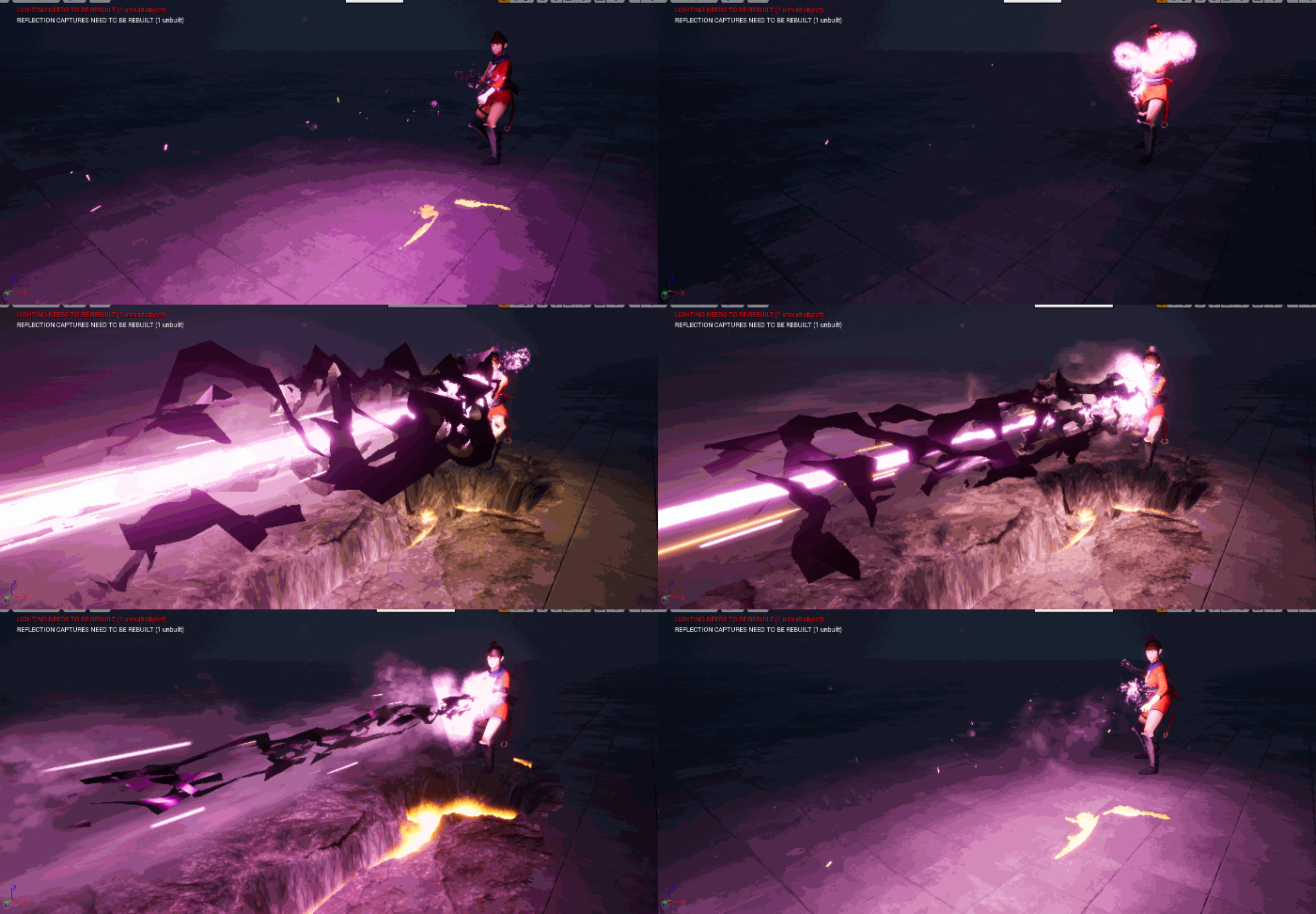
In this tutorial you will learn how to create Power Attack Effect in unreal engine. you will learn every step for this effect texture, materials, mesh and emitters.
Video Description: In this tutorial, we dive deep into creating a powerful attack effect, featuring beams, distortion, sparks, smoke, and ground cracks. This effect includes various elements that interact with the character, such as a parallax shader for depth in the crack and dynamic parameters for the beam. Watch how each component like mesh materials, particle systems, and textures come together to create an impressive visual effect.
Key Points:
- Power Attack Effect: Combining distortion, sparks, smoke, and crack effects.
- Parallax Shader: Used to create depth in the crack texture.
- Beam Mesh: Uses scaling, gradient, and dynamic parameters for erode effects.
- Smoke & Fire: Dynamic smoke and fire effects to enhance realism.
- Distortion & Sparks: Distortion based on normals and sparks with varying velocities.
Tips:
- Beam Mesh Creation: Use twist modifiers in 3D software like Maya for the beam mesh.
- Dynamic Parameters: Control the erosion effect dynamically with parameters.
- Texture Painting: Distort meshes based on normals to create realistic effects.
- Overlapping Textures: Use overlapping noise for plasma-like fire effects.
- Particle Color: Adjust the color and velocity for sparks and smoke to fit the desired look.
Tags: #UnrealEngine #VFX #PowerAttackEffect #Distortion #ParticleSystems #GameDev #MaterialCreation #FireEffects #Sparks #Smoke
Leave a Reply