

Download – https://www.patreon.com/posts/56458829
👉👉 If you Liked it – http://bit.ly/2UZmiZ4
Channel Ashif – http://bit.ly/3aYaniw
Support me on – https://www.patreon.com/Ashif
Support me on – paypal.me/9953280644
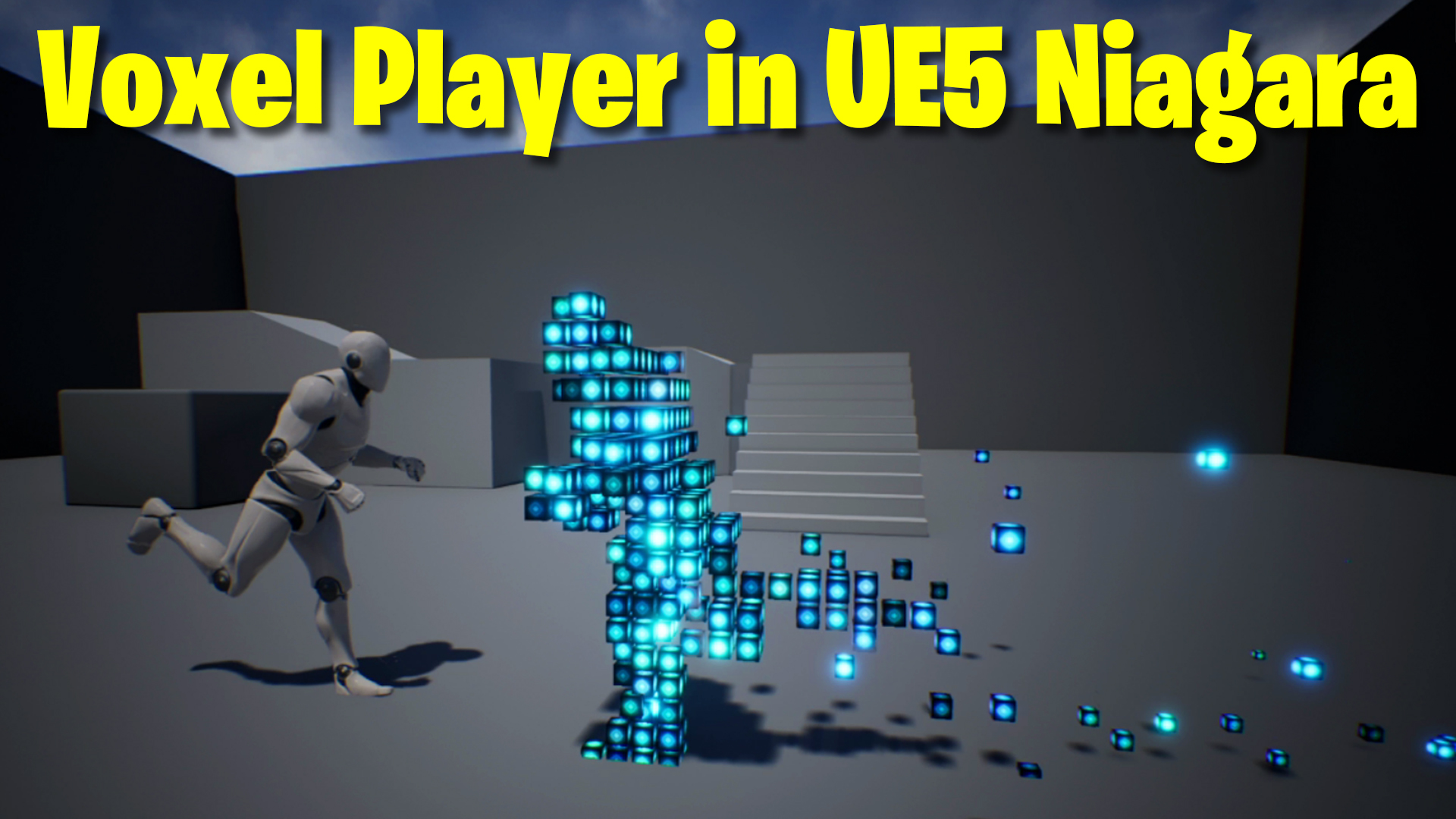
Voxel Player in UE5 Niagara Tutorial | Download Files
Hi, guys in this tutorial I have created an fx for voxel effect on the skeletal mesh using the default skeletal mesh location module and a custom scratch pad module to align particles in a grid form.
#cghow #UE5 #UE4Niagara #gamefx #ue5niagara #ue4vfx #niagara #unrealengineniagara #realtimevfx
●Upload Your Tutorials/Work – https://cghow.com/
Purchase Effect Package From Unreal engine Marketplace –
Unreal Engine Niagara Effects in Marketplace – https://youtu.be/DF4Lb_btEus
Niagara Effects Pack in Marketplace – https://youtu.be/g6_k8T7FqHA
Unreal Engine Advanced Magical Effects in Marketplace – https://youtu.be/0Dn3GLIzhMo
Smoke in UE4 Niagara Pack01 in Unreal Engine Marketplace – https://youtu.be/38BPA_9yqJ8
UE4 Niagara Fire Pack 01 in Marketplace – https://youtu.be/PW5FL-zZoP4
UE4 Niagara Fire Pack 02 in Marketplace – https://youtu.be/fdLXPlUEzxM
UE4 Niagara Explosions Pack 02 in Marketplace – https://youtu.be/dj-XX9he4aE
Unreal Engine Niagara Effects Pack 03 in Marketplace – https://youtu.be/0kKon43I-Og
Slow Motion Explosion in UE4 Niagara Pack 04 in Marketplace – https://youtu.be/lUK1eW5zRP0
Unreal Engine Niagara Effects pack 04 in Marketplace – https://youtu.be/MihWYB31Gi4
Slow Motion Explosion in UE4 Niagara Pack 04 in Marketplace – https://youtu.be/lUK1eW5zRP0
UE4.25 Niagara Effects Pack 05 in Marketplace – https://youtu.be/sn1HIENVTDI
UE4.25 Niagara Effects Pack 06 in Marketplace – https://youtu.be/pvH_xGQ5jvs
Explosions Package in Unreal Engine Niagara Particle System – https://youtu.be/1mbqWscjUJ4
●Follow FB Page – https://www.facebook.com/cghow0/
●Join FB Group – https://www.facebook.com/groups/cghow/
●Android App – http://bit.ly/2XUnhoR
Playlists-
●Unreal Engine Niagara Tutorials – http://bit.ly/2SmPEuT
●Unreal engine VFX Tutorials -http://bit.ly/2JNXyJZ
●Unity VFX Tutorials – http://bit.ly/2XNGlKz
Description
Learn how to transform a third-person character into a stunning voxel-style effect in Unreal Engine 5 Niagara! This tutorial demonstrates how to spawn voxelized particles on a skeletal mesh, emit particle trails, and add gravity effects for dynamic visuals. Dive into creating grids, custom modules, and materials for a fully interactive voxel character.
Key Points
- Voxelize characters using Niagara with surface triangle particle spawning.
- Custom grid formation using scratchpad modules for particle positioning.
- Dynamic particle trails with adjustable life and spawn rates.
- Interactive materials using gradient effects for added realism.
- Combine emitters for complex and visually appealing results.
Step-by-Step Guide
- Basic Setup
- Start with a third-person project in Unreal Engine 5.
- Add a Niagara System and configure the skeletal mesh as the particle spawn source.
- Spawn Particles on Mesh
- Use the Skeletal Mesh Location module with surface triangles for accurate particle placement.
- Switch the particle renderer to Mesh Renderer and assign a cube mesh for voxel effects.
- Create a Custom Grid Module
- Open the Scratchpad Editor to build a module for grid-based particle positioning.
- Divide and round each axis of the particle position, then multiply by grid spacing to create uniform placement.
- Enhance Visuals with Materials
- Create a dynamic material using a diamond gradient.
- Adjust colors with sine, absolute, and power nodes for a glowing voxel look.
- Apply the material to the mesh particles for visual impact.
- Add Particle Trails
- Use a second emitter to spawn particles from the legs, simulating trails on the ground.
- Adjust spawn rates, particle life, and gravity for natural motion.
- Combine Emitters
- Merge the character voxel emitter with the trail emitter for a unified effect.
- Use user parameters to fine-tune settings like spawn rate, life, and particle size dynamically.
Tags
- Unreal Engine 5
- Niagara VFX
- Voxel Effect
- Particle Systems
- Gaming VFX
- Character Effects
Additional Notes
- Download the project file on Patreon to explore this effect in detail.
- Experiment with different mesh types or skeleton animations for unique results.
- Combine this effect with dynamic lighting or post-processing for a more polished look.
If you enjoyed this tutorial, don’t forget to subscribe to my YouTube channel CGHOW for more VFX tips and tricks. 😊
Leave a Reply