
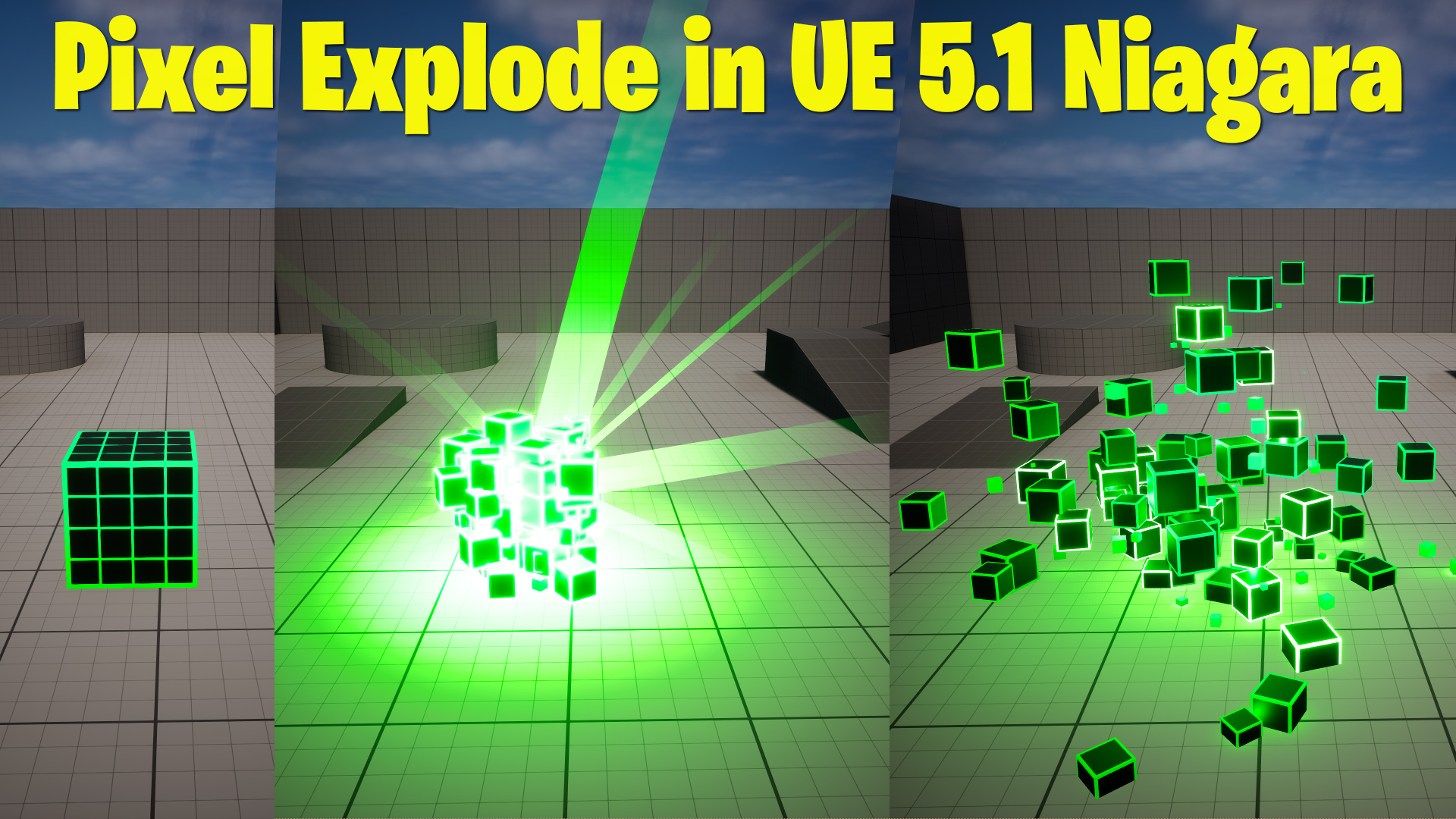

Video Title: Pixel Explosion Effect in UE 5.1 | Create it from Scratch
Introduction:
Hi guys, I’m Ashif Ali and you’re watching CGHOW. In today’s video, I’ll be showing you how to create a pixel explosion effect in UE 5.1 from scratch. If you haven’t subscribed to my YouTube channel, please do so, and don’t forget to like, share, and comment if you enjoy this video. Let’s start this tutorial!
Steps Covered in the Video:
- Setting Up the Material:
- Start by creating a basic material using the Cube mesh.
- Use a sine function to create a gradient effect for the cube’s edges and apply a step function to sharpen the edges.
- Apply dynamic parameters to control the thickness of the grid and edge thickness.
- Add horizontal and vertical grid lines by manipulating texture coordinates and adjusting their properties.
- Creating the Niagara Effect:
- Use the Niagara system to create a cube explosion that spawns after a delay.
- Apply jitter to the particles to simulate vibration. Control the jitter’s intensity using a curve, and use a spring force to bring particles back to their original positions.
- Set the particle life and use dynamic parameters to animate grid thickness and edge thickness over time.
- Animating the Explosion:
- Add small cubes to the explosion effect with random rotations and velocity. Use the grid’s location to scatter the particles in the desired direction.
- Adjust particle collision and randomize their bounce rate for more realism.
- Use velocity, drag, and gravity to control the explosion’s speed and behavior.
- Lighting and Color Effects:
- Attach a light to the explosion and bind it with the particle color. Use curves to animate the brightness and color over time, starting from a bright color and fading out.
- Adjust particle color to match the explosion’s intensity, making it appear bright at first and fading as the effect progresses.
- Finalizing the Effect:
- Create a particle burst effect using a sprite material for visual enhancement.
- Add additional light and location adjustments to ensure the explosion appears correctly in the scene.
Conclusion:
This is a simple yet effective pixel explosion effect that you can use in your projects. Thanks for watching, keep learning, and I’ll see you in the next video. Bye-bye!
Leave a Reply