
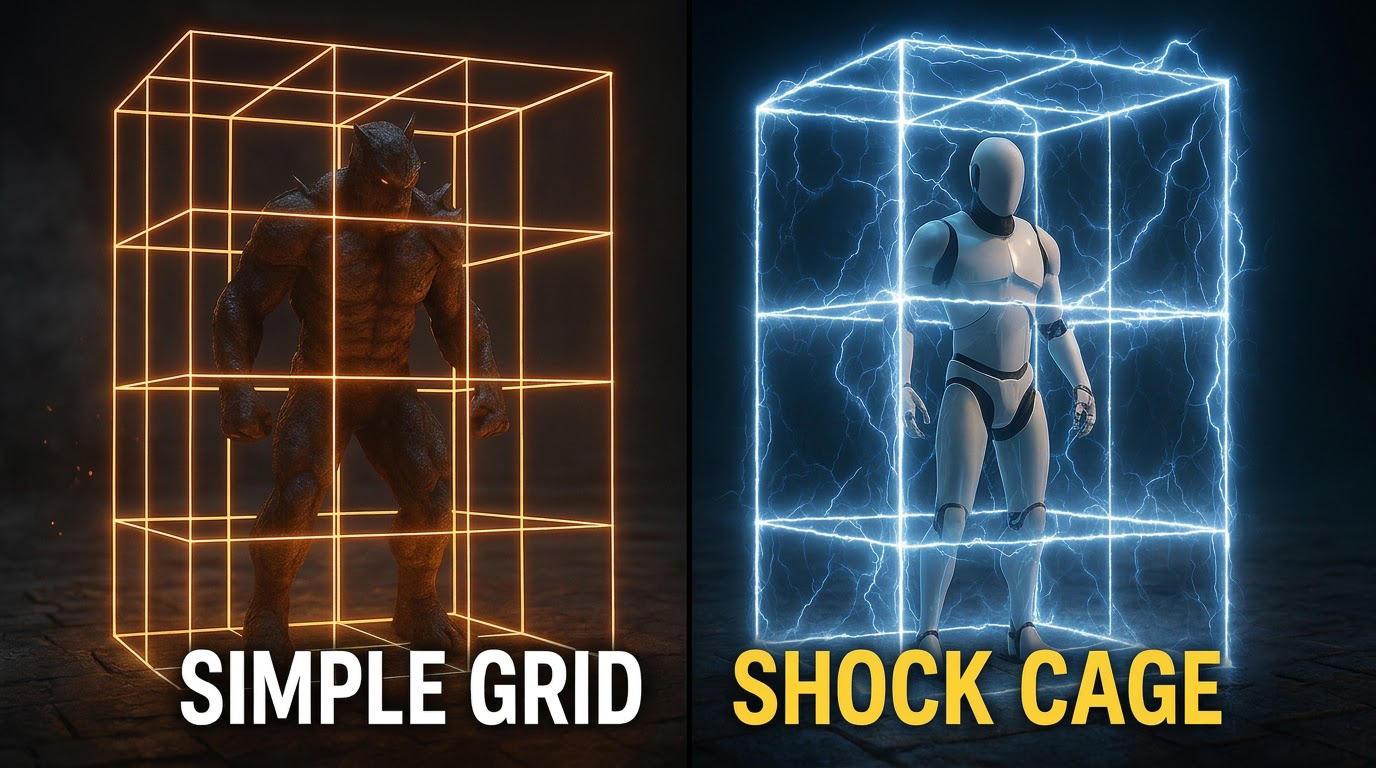

From Simple Grid to Electric Shock Cage
This Unreal Engine 5 Niagara tutorial turns a plain grid into a trap or prison effect crackling with electricity. It begins with a base grid emitter, then adds electric arcs and jitter using noise-driven motion so the energy feels unstable.
An emissive electric material gives the high-voltage glow, secondary sparks add impact, and exposed user parameters make it easy to adjust timing and color in your level, as shown with the orange and blue cages in the preview.
More electric VFX: UEFN Electric Sparks · Lightning Buff · Lightning in UE5 Niagara
⚡ Turn Simple Grid into Electric Shock Cage VFX | Unreal Engine 5 Niagara Tutorial
In this tutorial, learn step-by-step how to transform a basic grid into an energetic electric shock cage visual effect using Unreal Engine 5 and Niagara! We’ll cover everything from particle setup, dynamic sparks, and arcs to custom material logic and lightning timing. Perfect for games, cinematics, and stylized VFX projects.
📌 What You’ll Learn in This Video:
⚡ Setting Up the Base Grid: Structuring your emitter to form a solid visual foundation.
⚡ Electric Arcs & Jitter: Using dynamic forces and noise to create realistic electrical behavior.
⚡ Material & Glow Setup: Crafting emissive materials for high-voltage energy bursts.
⚡ Sparks & Residual Energy: Adding secondary particles for impact and depth.
⚡ Polishing & Parameter Controls: Setting up customizable user parameters for easy tweaking in your levels.
⏱️ Timestamps:
00:00 – Intro & Final Effect Preview ⚡
01:15 – Creating the Base Grid Emitter 📐
04:30 – Adding Electricity & Noise Motion ⚡
08:10 – Electric Material & Emissive Glow Setup 🎨
12:45 – Secondary Sparks & Impact Particles ✨
16:20 – Fine-Tuning Timings & User Parameters ⚙️
19:00 – Final Result & Wrap-Up 🚀
🔗 Support & Resources:
🧡 Patreon: https://www.patreon.com/Ashif
💳 PayPal: https://paypal.me/9953280644
🌐 Website: https://cghow.com
🛒 FAB Store: https://www.fab.com/sellers/CGHOW
🎨 ArtStation: https://www.artstation.com/ashif
💬 Discord Community: https://discord.gg/CYQSpKwawb
🐦 X (Twitter): https://x.com/cghow_
🔗 All Links: https://linktr.ee/cghow
🌐 Google Profile: https://profile.google/@cghow
🎓 Courses & Channel Perks:
📚 Check Out My Course: https://youtu.be/DZnuHK1Wckc
⭐ Join Channel Membership: https://www.youtube.com/cghow/join
❓ What is Membership? https://youtu.be/XBWcQ0k4UR4
🔴 Subscribe to CGHOW: https://www.youtube.com/@CGHOW?sub_confirmation=1
#UnrealEngine5 #UE5Niagara #VFX #GameDev #RealtimeVFX #CGHOW
Leave a Reply