
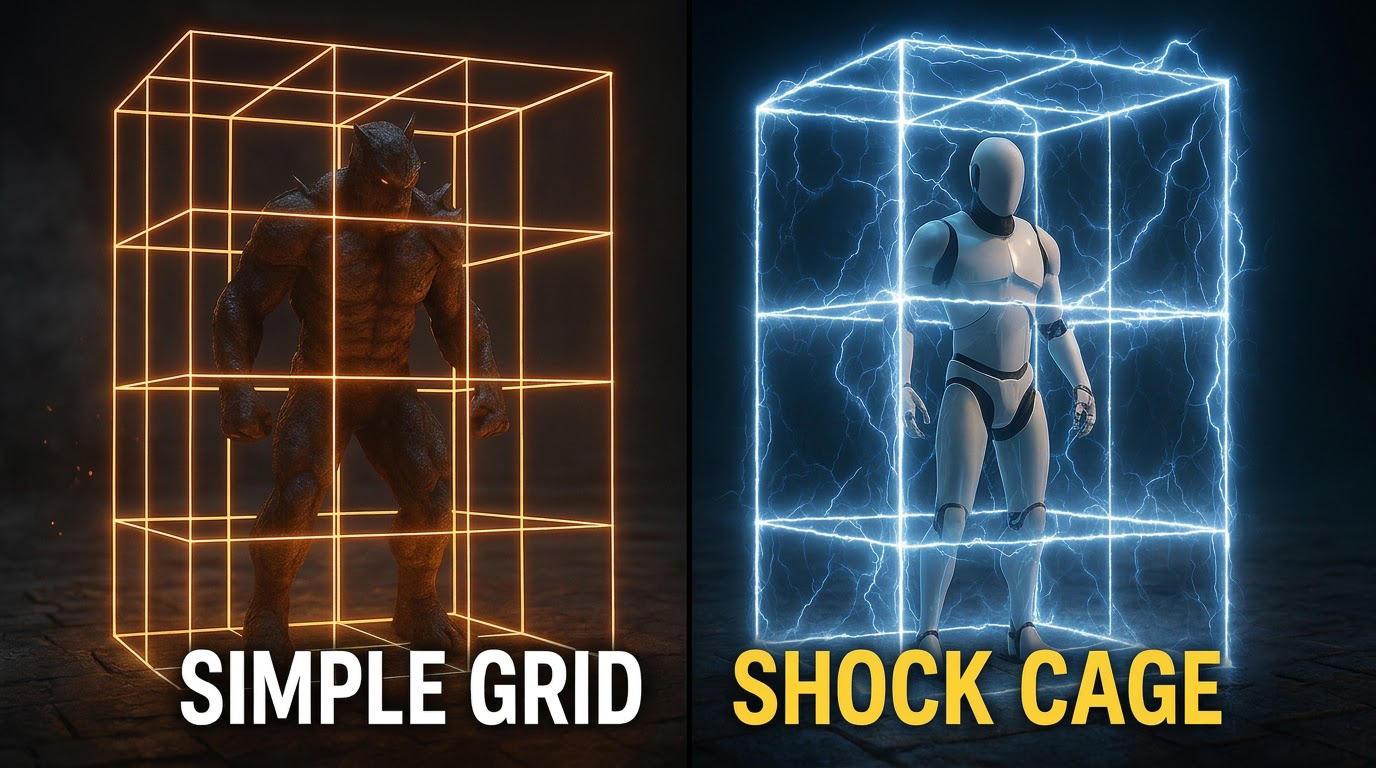

What is the Electric Shock Cage VFX in UE5 Niagara?
This Unreal Engine 5 Niagara tutorial turns a plain wireframe box grid into an electric shock cage trap or prison effect crackling with lightning. Designed for games, cinematics, and stylized VFX projects, it demonstrates both orange and blue cage variations around holographic figures.
The effect starts with a base grid emitter, adds electric arcs and jitter through dynamic forces and noise-driven motion, and pairs an emissive high-voltage material with secondary sparks, impact particles, and exposed user parameters for level tweaking.
More electric VFX: UEFN Electric Sparks · Lightning Buff · Lightning in UE5 Niagara
How is the Electric Shock Cage structured?
The cage combines structured grid emitters, noise-driven electricity, emissive materials, and secondary spark layers controlled by user parameters:
- Base Grid Emitter: Structures the core emitter to establish the wireframe cage foundation.
- Electric Arcs & Jitter: Uses dynamic forces and noise motion so the electricity feels unstable and energetic.
- Material & Emissive Glow Setup: Crafts custom electric material logic for high-voltage energy bursts.
- Sparks & Residual Energy: Layers secondary sparks and impact particles for extra impact and depth.
- Polishing & Parameter Controls: Fine-tunes lightning timing and exposes customizable user parameters for easy adjustments in levels.
Electric Shock Cage Breakdown
| Timestamp | Layer / Step | Role in the Effect |
|---|---|---|
| 00:00 | Intro & Final Effect Preview | Previews the finished orange and blue electric shock cages. |
| 01:15 | Creating the Base Grid Emitter | Builds the underlying grid particle structure for the cage. |
| 04:30 | Adding Electricity & Noise Motion | Applies dynamic forces and noise to create electric arcs and jitter. |
| 08:10 | Electric Material & Emissive Glow Setup | Sets up the emissive electric material for high-voltage glow and bursts. |
| 12:45 | Secondary Sparks & Impact Particles | Adds residual sparks and impact particles for depth. |
| 16:20 | Fine-Tuning Timings & User Parameters | Exposes timing and color controls via Niagara user parameters. |
| 19:00 | Final Result & Wrap-Up | Reviews the completed electric shock cage effect. |
Tutorial Access & Project Files
Use the links below to access CGHOW courses, channel memberships, store assets, and community channels:
- Patreon: https://www.patreon.com/Ashif
- FAB Store: https://www.fab.com/sellers/CGHOW
- Check Out My Course: https://youtu.be/DZnuHK1Wckc
- Join Channel Membership: https://www.youtube.com/cghow/join
- What is Membership?: https://youtu.be/XBWcQ0k4UR4
- Website: https://cghow.com
- ArtStation: https://www.artstation.com/ashif
- Discord Community: https://discord.gg/CYQSpKwawb
- X (Twitter): https://x.com/cghow
- Google Profile: https://profile.google/@cghow
- Subscribe to CGHOW: https://www.youtube.com/@CGHOW?sub_confirmation=1
Frequently asked questions
How do you turn a simple grid into an electric shock cage in UE5 Niagara?
You start with a base grid emitter for the wireframe box foundation, then drive electric arcs and jitter across it using dynamic forces and noise motion, supported by secondary sparks and impact particles.
How are the lightning jitter and high-voltage glow achieved?
Noise-driven motion and dynamic forces introduce unstable electrical jitter, while a custom emissive electric material delivers the high-voltage glow and energy bursts.
Can the electric shock cage color and timing be customized in a level?
Yes. The tutorial sets up exposed Niagara user parameters so you can quickly adjust lightning timing and cage colors—such as the orange and blue variants shown in the preview—directly in your level.
Leave a Reply