

Support me on – https://www.patreon.com/Ashif
Support me on – paypal.me/9953280644
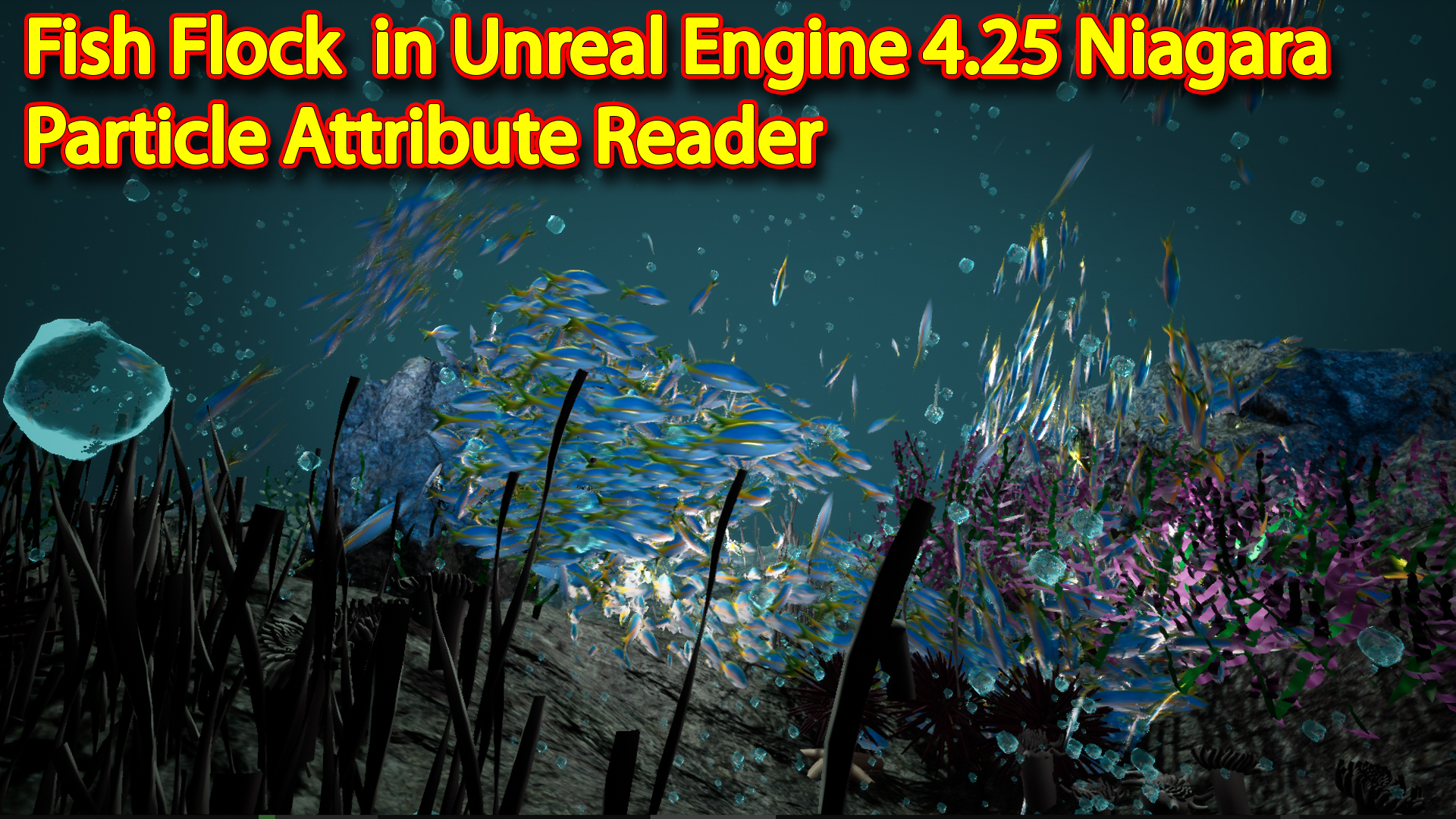
hi guys i have created this under water scene in unreal engine 4.25 i used Niagara new tool Particle Attribute reader data interface for fish flocks and other Niagara system is bubbles i have also animated fish in material that i will show you in this video.
#cghow #RealtimeVFX #UE4Niagara #gamefx #ue4vfx #ue4fx #niagara #unrealengineniagara #unrealenginevfxtutorials
●Upload Your Tutorials/Work – https://cghow.com/
…………………………………………………………………………………………………………
Purchase Effect Package From Unreal engine Marketplace –
●Niagara Effects Pack – http://bit.ly/2LWgZTx
●Advanced Magical FX – http://bit.ly/2XQYyXL
……………………………………………………………………………………………………………………………………
●Patreon – https://www.patreon.com/Ashif
……………………………………………………………………………………………………………………………………
●Follow FB Page – https://www.facebook.com/cghow0/
●Join FB Group – https://www.facebook.com/groups/cghow/
……………………………………………………………………………………………………………………………………
●Android App – http://bit.ly/2XUnhoR
……………………………………………………………………………………………………………………………………
Playlists-
●Unreal Engine Niagara Tutorials – http://bit.ly/2SmPEuT
●Unreal engine VFX Tutorials -http://bit.ly/2JNXyJZ
●Unity VFX Tutorials – http://bit.ly/2XNGlKz
……………………………………………………………………………………………………………………………………
●Discussion & Help Forum – http://bit.ly/2Lo0Er7
……………………………………………………………………………………………………………………………………
Fish Flock in Unreal Engine Niagara
This tutorial shows how to build a fish flock for an underwater scene in Unreal Engine 4.25 Niagara, using the new Particle Attribute Reader.
Use it for underwater levels, aquariums and ambient life, and see the related posts below for more water and environment effects.
More water and environment effects: Water Waves Material · Clouds · Foot Step Dust


Video Transcript Summary: “Underwater Scene in Unreal Engine Niagara using Particle Attribute Trigger”
- Introduction
- Asif Ali introduces the underwater scene created in Unreal Engine using Niagara, specifically highlighting the new Particle Attribute Trigger tool in Unreal Engine 4.25.
- Scene Setup
- The scene consists of two particle systems: bubbles and fish. The fish particle system utilizes the Particle Attribute Trigger, while the bubbles use basic particles.
- Creating the Fish Attractor System
- The fish particles are designed to follow red attractor particles. Asif demonstrates how to create a new emitter and adjust spawn rates and colors.
- The green particles (representing fish) are set to follow the red particles by using the Particle Attribute Trigger tool.
- Using Particle Attribute Trigger Tool
- A custom module is created using the Particle Attribute Trigger tool to allow the fish particles to follow the red particle positions.
- A random ID is used to make the fish follow different red particles instead of a single one.
- Attractor Settings
- The attractor’s strength and radius are adjusted to make the fish follow the red particles more effectively.
- Asif demonstrates how to apply curl noise and drag for more realistic movement.
- Fish Movement and Animation
- The fish movement is further controlled using random settings such as velocity orientation, drag, and collision with other objects (e.g., rocks).
- Fish animation is controlled via a custom material that includes a dynamic parameter for random distortion of the fish’s movement.
- Bubbles Setup
- Bubbles are set to rise with random movement using a material that distorts the bubble appearance.
- Asif explains the bubble particle setup, including random scaling, rotation, and the use of trails to follow the bubbles.
- Additional Settings and Effects
- The scale of the scene is increased to make the particles move on a larger scale. Simple grass wind effects are applied to materials to simulate natural movement.
- Visibility of the attractor system is adjusted for better visual clarity.
- Outro
- Asif encourages viewers to comment their thoughts and ideas for future tutorials using the new Particle Attribute Trigger tool.
- He also invites comments about any queries related to the video.
Key Takeaways
- The Particle Attribute Trigger tool allows for advanced control over particle behaviors, such as making one particle system follow another.
- Randomization of particle behavior (ID, movement, size, and speed) enhances the realism of particle interactions.
- The fish animation uses a dynamic material with random distortion to simulate fluid-like motion.
- Bubble particles are set to rise with random movement, and trails are used for visual effect.
Trendy Tags:
- #UnrealEngine
- #NiagaraVFX
- #ParticleAttributeTrigger
- #UnderwaterScene

Leave a Reply