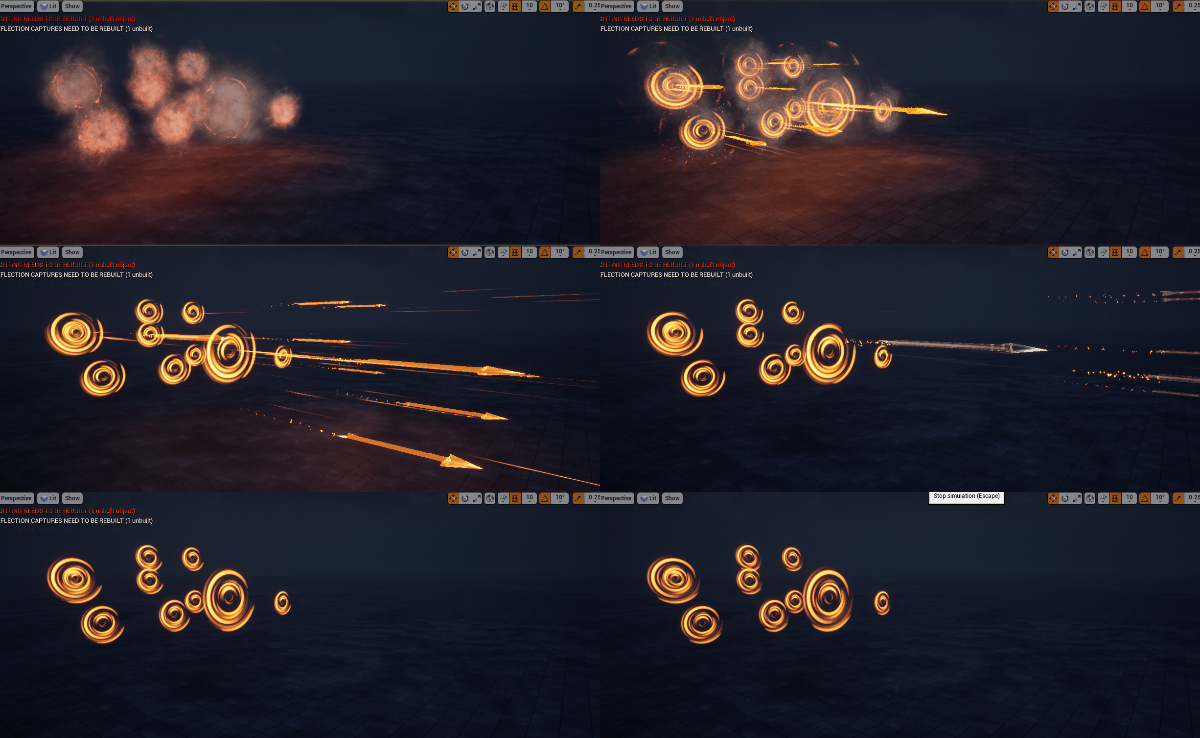
Unreal Engine Magical Arrows Tutorial
In this video you will. Learm how to. Make magical shooting arrows in unreal engine. I will ahow you every step hoe to make textures, Materials and meshes for this effect.
This tutorial shows how to create magical shooting arrows in Unreal Engine 4, with spinning patterns, color shifts and a glowing trail built from custom textures and meshes.
Use it for archer skills, spell projectiles and fantasy weapons, and see the related posts below for more projectile effects.
More projectile effects: Shooting Trails · AnimTrail Tutorial · Magical Effect
Description: This tutorial shows how to build a mystical arrow effect in Unreal Engine using Niagara, complete with spinning patterns, color shifts, and a glowing trail. Follow along as we craft custom textures in Photoshop, set up materials, and add dynamic particle features. With layers like shockwaves, spark trails, and particle distortion, this effect is highly customizable and perfect for any fantasy project.
Content Breakdown:
Tags: #UnrealEngine, #NiagaraVFX, #MagicalArrows, #VFXTutorial, #FantasyEffects
Learn to create a stylized energy drip VFX in Unreal Engine 5 Niagara, with glowing…
Learn to create a game-ready level up VFX in Unreal Engine 5 Niagara, with expanding…
Make a glowing sword charge in Unreal Engine 5 Niagara. This tutorial covers masking a…
A short showcase of a game-ready AOE aura built in Unreal Engine 5 Niagara. See…
See the Abyssal Rupture effect from Unreal Engine 5 Niagara in a real-time scene. This…
A decal-based ground fracture effect made in Unreal Engine 5 Niagara. See it project across…