Unreal Engine Mesh Flipbook lightning Material and Particle Tutorial

Unreal Engine Mesh Flipbook lightning Material and Particle Tutorial

Visit: https://cghow.com/ for more tutorials. submit your tutorial/Artwork.
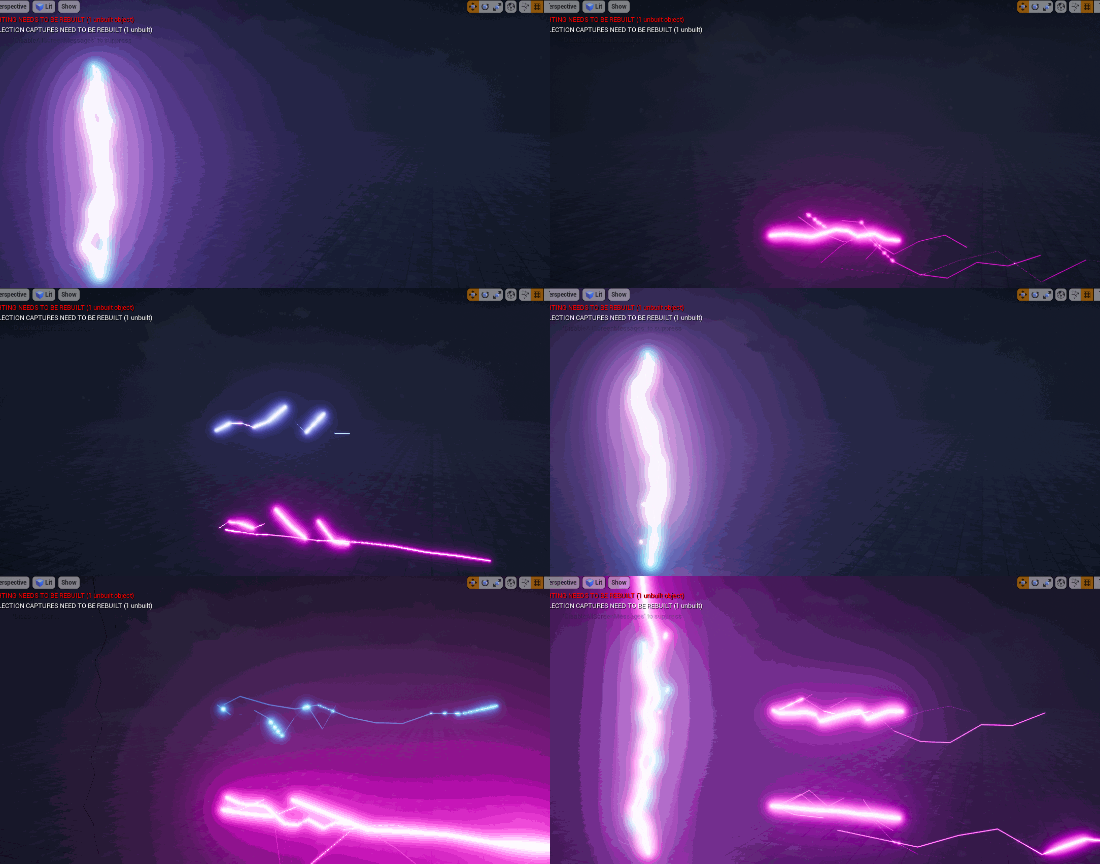
In this tutorial you will learn how to create Mesh Flipbook lightning Material and Particle in unreal engine. you will learn every step for this effect texture, materials, mesh and emitters.

#unrealenginevfxtutorials #cghow #unrealengine #gamevfx #gamefx #ue4vfx #ue4fx #niagara #unrealengineniagara

Description

In this tutorial, you’ll learn how to create a lightning effect using a mesh flipbook in Unreal Engine’s Niagara system. You’ll start by creating multiple mesh assets with varying shapes and UV layouts. These meshes will serve as frames for your lightning animation. You’ll then create a material that utilizes a gradient texture to transition between different mesh frames, creating a dynamic and realistic lightning effect. Finally, you’ll integrate this material into a Niagara particle system to emit lightning bolts with random shapes and movements.

Key Points:

  • Mesh Flipbook Creation: Creating multiple mesh assets with varying shapes and UV layouts.
  • Material Setup: Using a gradient texture to transition between mesh frames.
  • Niagara Particle System: Integrating the mesh flipbook material into a particle system.
  • Particle Emission and Animation: Controlling particle emission rate, lifetime, and movement.
  • Customization: Adjusting particle properties like color, size, and rotation.

Trending Tags:

#UnrealEngine #Niagara #VFX #Tutorial #GameDev #GameArt #VFXArtist #ParticleEffects #UnrealEngine5 #UE5 #VisualEffects #3DArt #GameDevelopment #LightningEffect #MeshFlipbook

Additional Notes:

  • This tutorial is ideal for intermediate-level Unreal Engine users who have a basic understanding of particle systems and materials.
  • The techniques demonstrated in this tutorial can be applied to create a variety of effects, such as fire, smoke, and explosions.
  • Experiment with different mesh shapes, UV layouts, and material parameters to achieve unique and visually appealing effects.
  • Consider optimizing your particle system for performance by adjusting particle counts, simulation rates, and rendering settings.
Ashif Ali

I am Ashif Ali, Real-Time VFX Artist, I make Unreal Engine Niagara Tutorial on this channel. I've made it my mission to share my knowledge and expertise with the world through my YouTube channel. So why not join me on this exciting adventure? Follow me on my social links, subscribe to my channel, and support my growth as a creator. Together, we can create amazing things and take our skills to new heights. And who knows, you might even get access to some of my exclusive files for free!

Recent Posts

UEFN VFX Tutorial | Make ELECTRIC SPARKS & FUSE BURST (UE6 Ready) ⚡

Learn how to build a broken electric fuse box and wire sparks effect in UEFN…
6 hours ago

UEFN VFX Tutorial | Make PIPE STEAM JET FX (UE6 Ready) 💨

Learn how to build a pressurized pipe steam jet effect in UEFN using Unreal Engine…

1 day ago

UEFN VFX Tutorial | Make WATER GEYSER FX (UE6 Ready) 🌊

Build a massive, dynamic water geyser in UEFN using Unreal Engine 5 Niagara. This tutorial…

1 week ago

UEFN VFX Tutorial | Make LAUNCH PAD FX (UE6 Ready) 🚀

https://youtu.be/9BsidmrDc68 Full Tutorial - https://youtu.be/K0IE2bgg3HQIn this UEFN VFX tutorial, learn how to create a highly…

2 weeks ago

UEFN VFX Tutorial | Make POISON SPLASH FX (UE6 Ready) 🧪

Create a stylized Poison Splash and Toxic Slime Burst for Fortnite Creative using Unreal Engine…

2 weeks ago

UEFN VFX Tutorial | Make TUMBLEWEED (UE6 Ready) 🌾

Learn how to build a stylized tumbleweed VFX in UEFN using Unreal Engine 5 Niagara.…

2 weeks ago