
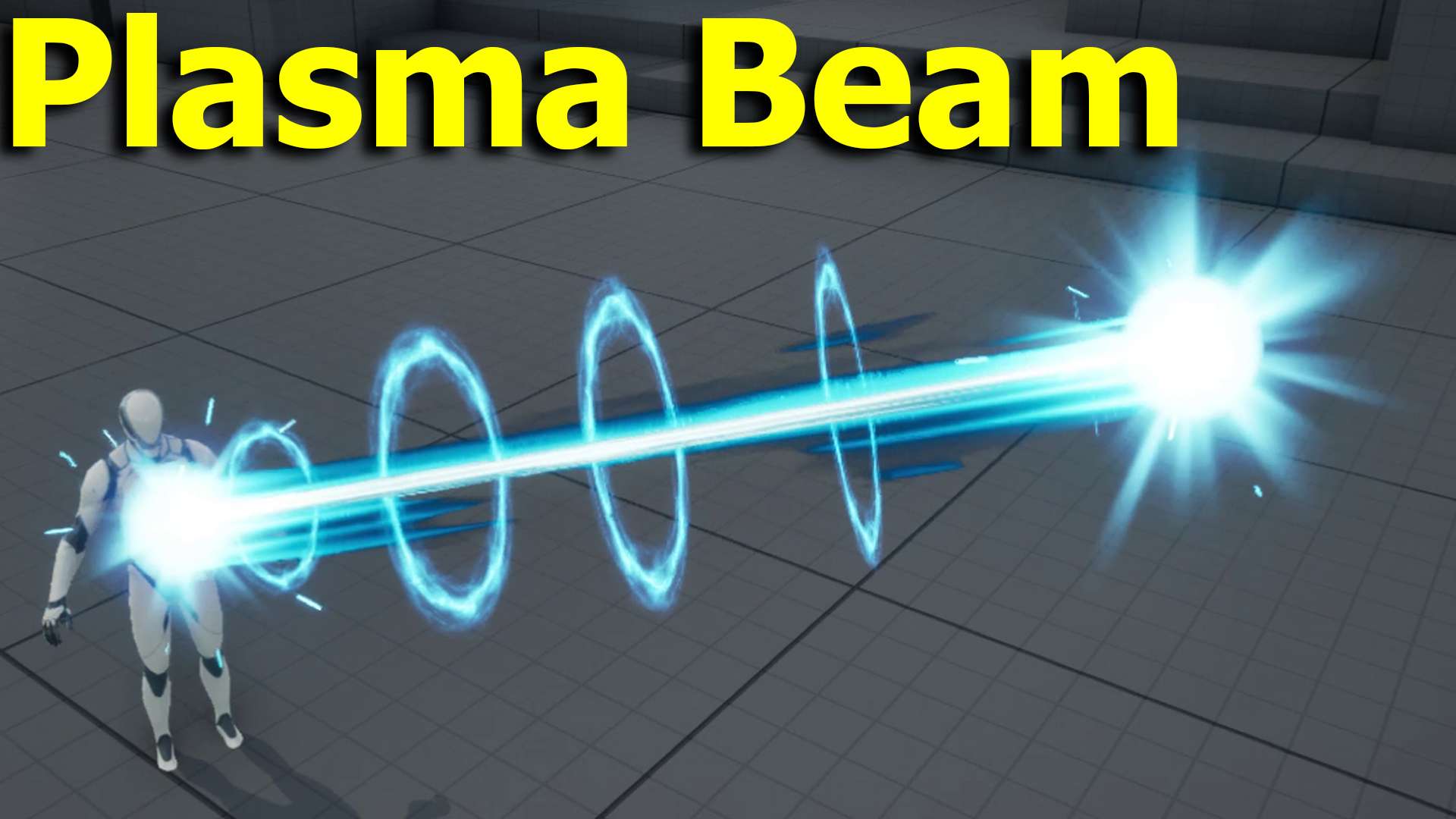

Plasma Beam Effect in UE5 Niagara
This showcase presents a customizable plasma beam built in Unreal Engine 5 Niagara, with a glowing plasma core, travelling energy rings and impact effects at both ends. User parameters control end position, width, ring count and size, speed and panning, and the beam can be linked between characters with Blueprints.
Use it for sci-fi weapons, laser attacks or magical energy beams, and see the related posts below for more beam effects.
More beam effects: UEFN Laser Beam · Volumetric Laser Beams · Light Streak FX
Create a powerful and highly customizable Plasma Beam in Unreal Engine 5 Niagara. This energy beam features glowing rings, plasma core, and impact effects — perfect for sci-fi weapons, laser attacks, or magical energy beams.
The system is designed to be flexible and easy to control with a set of useful User Parameters.
What’s Inside the Video
In this showcase you’ll see:
- The full Plasma Beam effect in action
- How to move and rotate the beam
- How to link the beam start and end points to characters or objects using Blueprints
- Full control over the look using User Parameters
Controllable Parameters
- Beam End Position – Set or link the end point of the beam
- Beam Width – Make the beam thinner or thicker
- Impact – Toggle impact effects on both ends
- Ring Count – Increase or decrease the number of rings
- Ring Size – Scale the rings larger or smaller
- Life / Speed – Control how fast the rings travel along the beam
- Panning Speed – Adjust the scrolling speed of the beam texture
- Ability to turn off impacts or rings for a cleaner static beam
You can also easily attach the beam between two characters or objects using simple Blueprint logic (shown in the video).
Full Video – Tutorial coming soon for members only so JOIN NOW!
Download – https://www.patreon.com/Ashif/posts/plasma-beam-in-5-164799707
Fab – https://www.fab.com/sellers/CGHOW
Course – https://youtu.be/DZnuHK1Wckc
Join Membership – https://www.youtube.com/cghow/join
What is Membership – https://youtu.be/XBWcQ0k4UR4
Patreon Tier for Files – https://youtu.be/MzIjYshea6g
All Link – https://linktr.ee/cghow
#UnrealEngine #UE5Niagara #UE5
Leave a Reply