
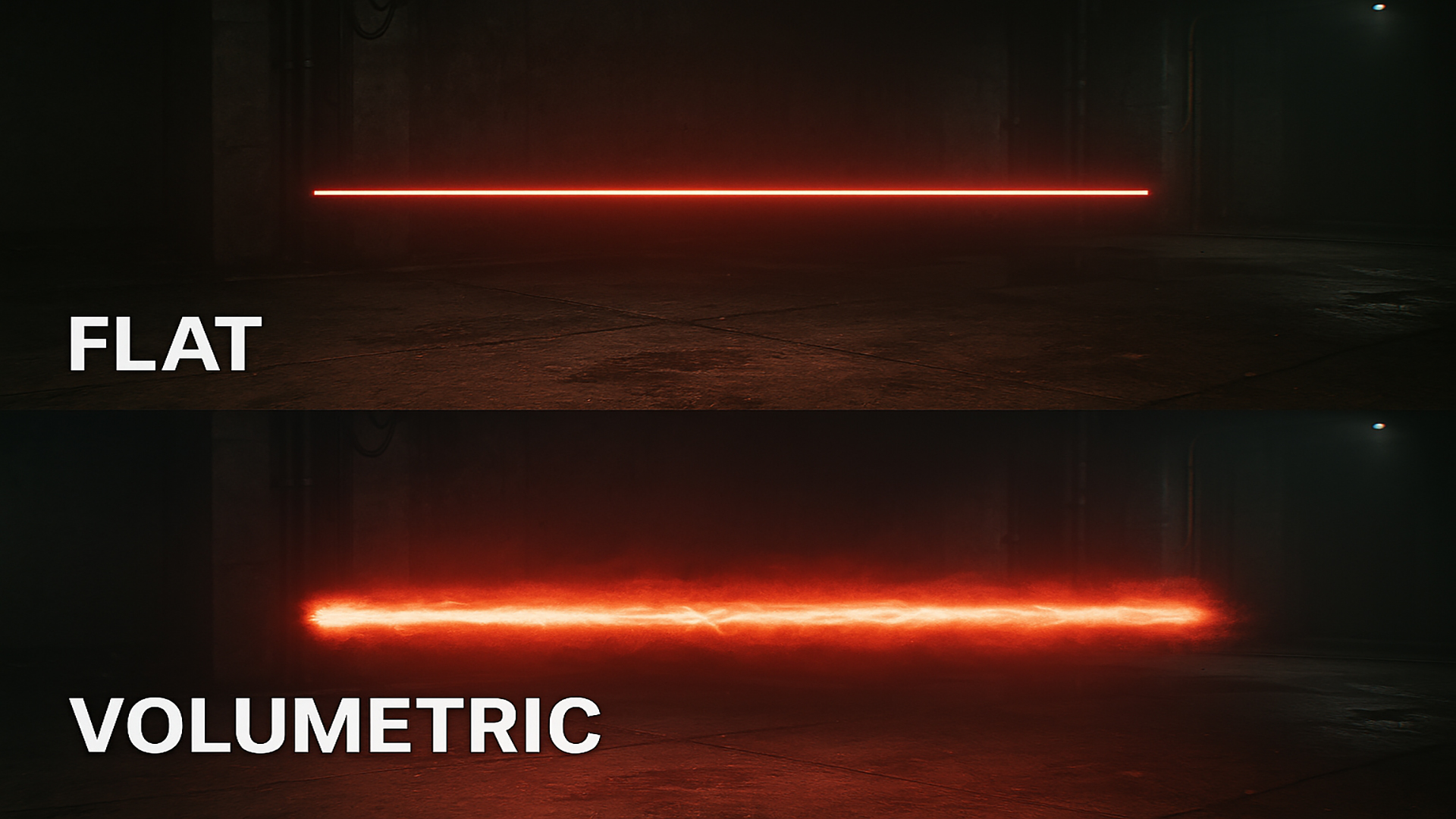

Learn how to upgrade flat, boring laser beams into realistic, glowing volumetric FX using Unreal Engine 5 Niagara!
In this step-by-step tutorial, we break down how to add depth, dynamic light falloff, volumetric scattering, and particle dust to your beam setups so they interact naturally with the surrounding environment and atmosphere.
⏱️ Timestamps
0:00 – Overview & Final Effect Preview
0:45 – Setting Up the Base Beam Emitter in Niagara
2:15 – Adding Volumetric Glow & Dynamic Materials
4:00 – Fine-Tuning Light Scattering & Smoke/Dust Interaction
6:10 – Final Tweaks & Render Preview
(Feel free to adjust the timestamp markers to match your exact edit!)
📌 Topics Covered
Niagara Beam Emitters & Module Settings
Material setup for realistic beam cores and falloff
Creating depth with volumetric fog & light injection
Adding environmental particle interactions
🔗 Useful Links & Resources
Download Project Files / Patreon: https://www.patreon.com/Ashif
Follow CGHOW on ArtStation: https://www.artstation.com/ashif
Join our Discord Community: https://discord.gg/CYQSpKwawb
💬 Support & Connect
If you found this tutorial helpful, don’t forget to Like, Share, and Subscribe to CGHOW for more Unreal Engine VFX breakdowns! Leave a comment below if you have any questions or tutorial requests.
#UnrealEngine5 #UE5 #Niagara #VFX #GameDev #RealTimeVFX #CGHOW
Leave a Reply